
This article outlines on revoking HMRC authorisation for a client within Capium MTD IT and the necessary steps and important considerations to ensure the revocation process is completed accurately and efficiently.
Before you start:
Check the clients have been authorised
You need to verify if:
- You have authorised a client using incorrect credentials.
- You are unable to fetch information from HMRC for that client.
- HMRC has asked you to reauthorise the client.
Important: Revoking authorisation will stop the HMRC data sync immediately. If submissions have already been made for this client, no further submissions can be made until the client is reauthorise |
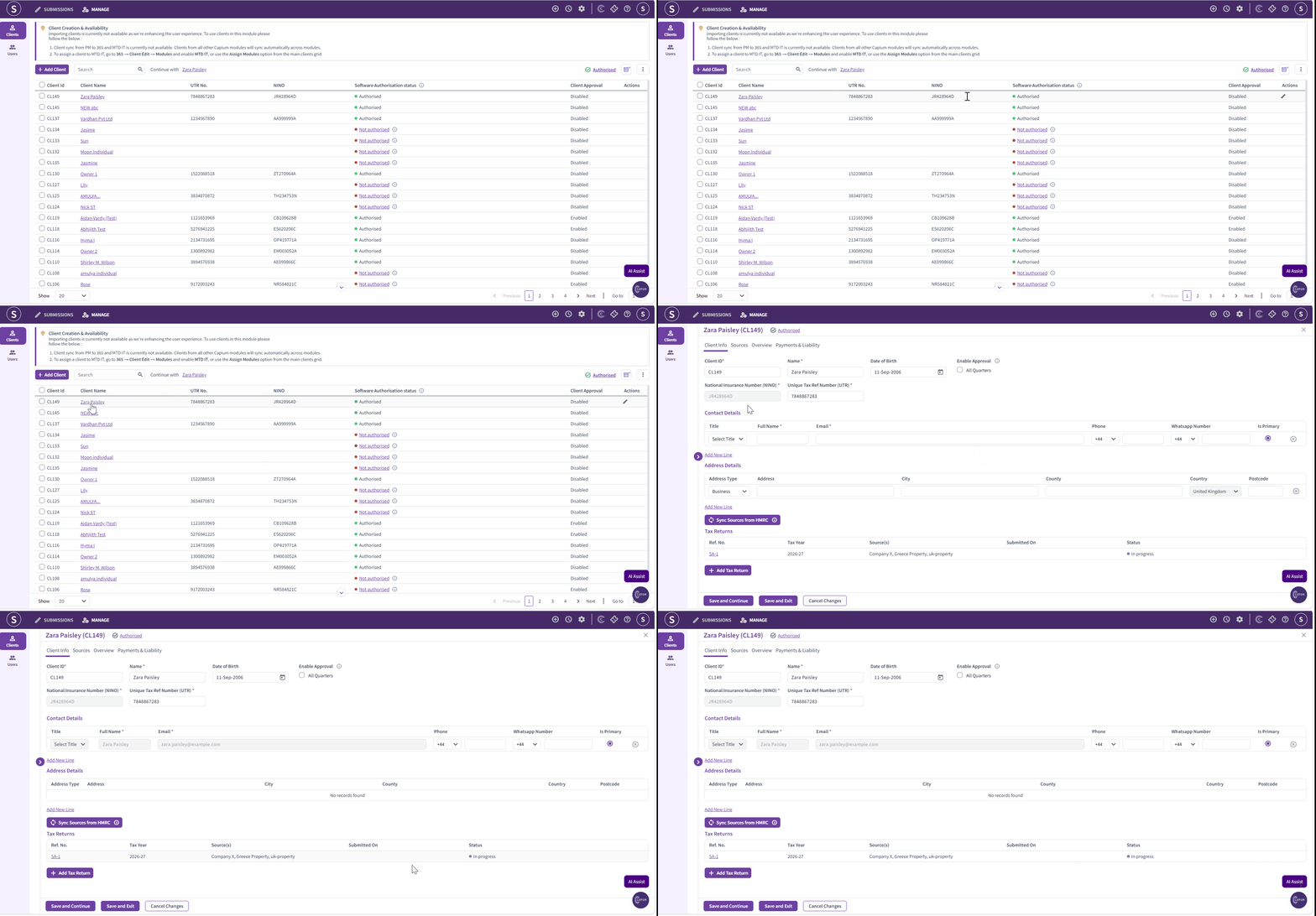
If a tax return has been created for the clients, it needs to be deleted prior to revocation.
Steps to delete the tax return:
- Open the client's profile.
- Navigate to the Tax return section.
- Select the tax return that needs to be deleted.
- Click Delete and confirm the deletion.
- Verify that the tax return has been successfully removed.
Navigation: MTD IT > Manage > Client specific > Tax returns
Steps to Revoke the HMRC Authorisation:
Navigation > MTD IT > Manage
- Click on search option to locate the relevant client.
- Click on the client's name to open their record.
- Next to the client's name, click the Authorised button.
- A pop-up will appear requesting confirmation to revoke HMRC authorisation.
- Read the confirmation message, then click I confirm that I want to revoke the HMRC authorisation.
The Client’s HMRC authorisation will now be revoked.
Please refer the below picture for your reference: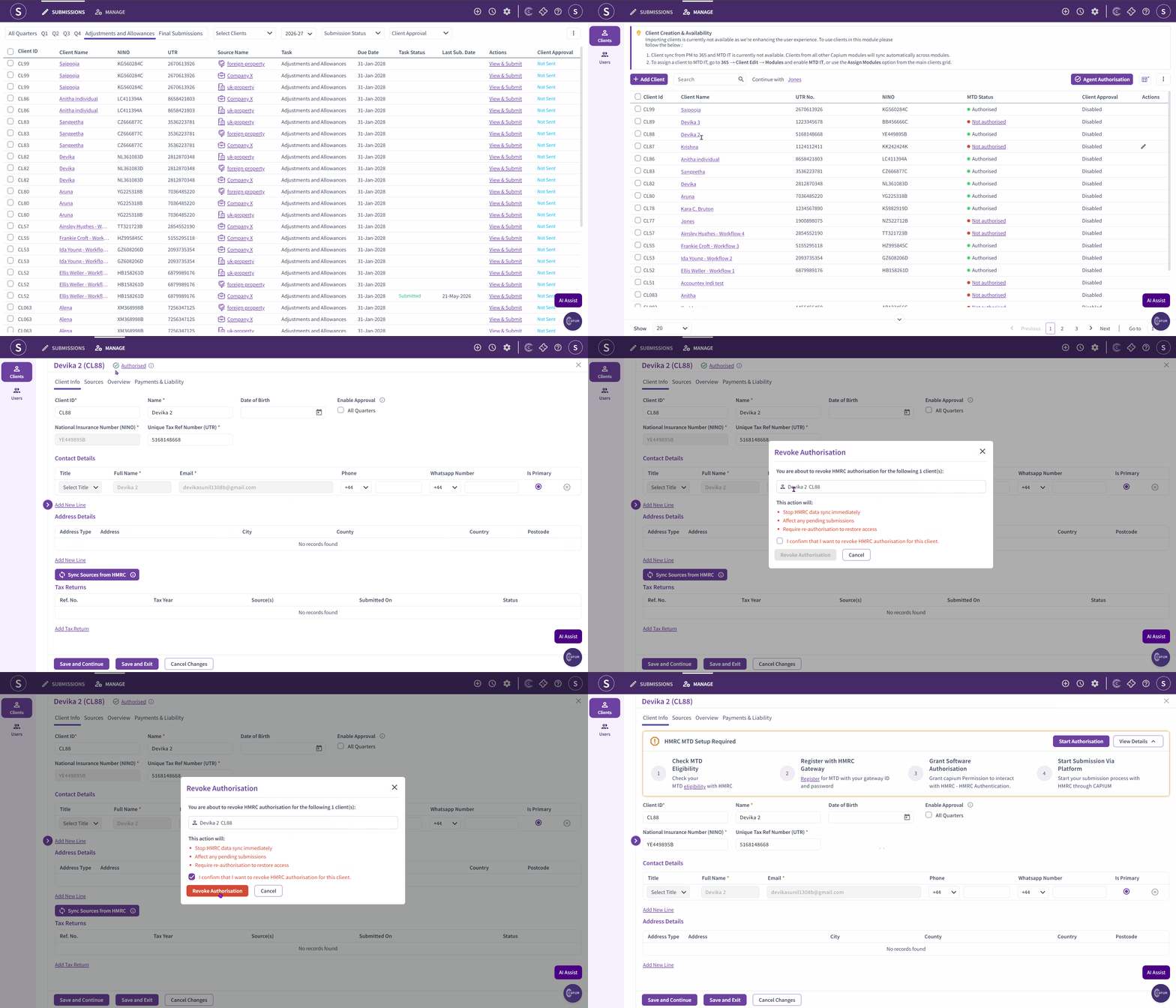
What Happens After Revocation
Once authorisation is revoked:
- The HMRC data sync for the client will stop immediately.
- All previous submissions remain, but no further submissions can be made until reauthorisation.
- To submit data or retrieve information again, you will need to reauthorise the client.
If you plan to transfer the client to different software, no further action with Capium MTD IT is required proceeding after revocation.
If you intend to continue using Capium MTD IT for this client, refer to the authorisation article to reauthorise them on the system.
Capium Tip :If you have reauthorised a client multiple times and are still not seeing their income sources, it is worth checking the Agent Services Account to confirm whether the client has been linked to the MTD IT system. If the issue persists after checking this, contact HMRC directly to investigate further. |
Related Articles
- MTD IT: Client Authorisation Workflow
- MTD IT: Checking and Registering Your Client with HMRC
- MTD IT: Bulk Authorisation
- MTD IT: How to Allow Software to Connect with HMRC