
Checking your client’s eligibility and registering them with HMRC is an important step in staying compliant with MTD for Income Tax. Using Capium makes this process simple by allowing you to verify client details and complete registration quickly and efficiently.
How to sign up your client - Making Tax Digital
Before you start:
Checking your client’s eligibility and registering them with HMRC is an important step in staying compliant with MTD for Income Tax. Using Capium makes this process simple by allowing you to verify client details and complete registration quickly and efficiently.
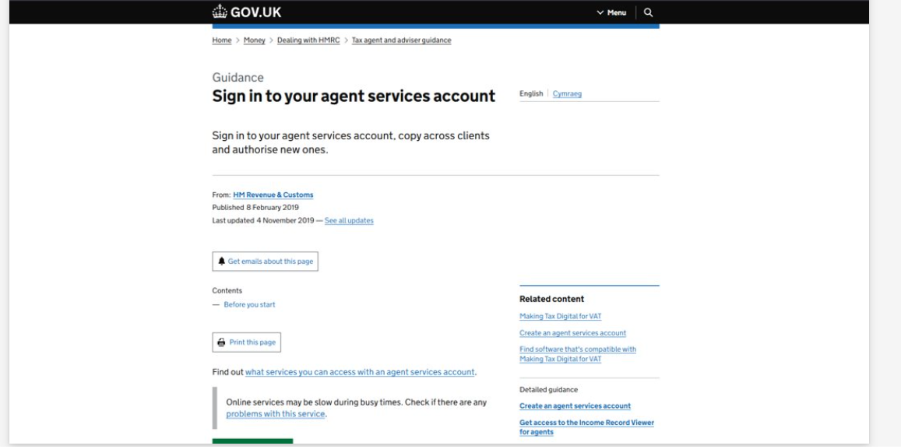
Log into Your Agent Services Account
- Open the HMRC Agent Services Account login page.
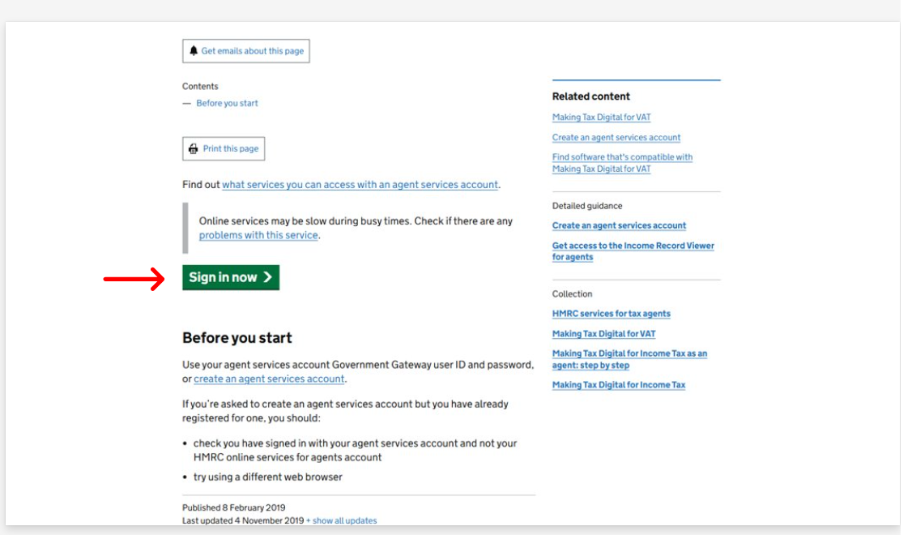
- Click “Sign in now”.
- Enter your Agent Services Account credentials.
- Click “Sign in” to access your Agent Services dashboard.
Locate the MTD for Income Tax Section
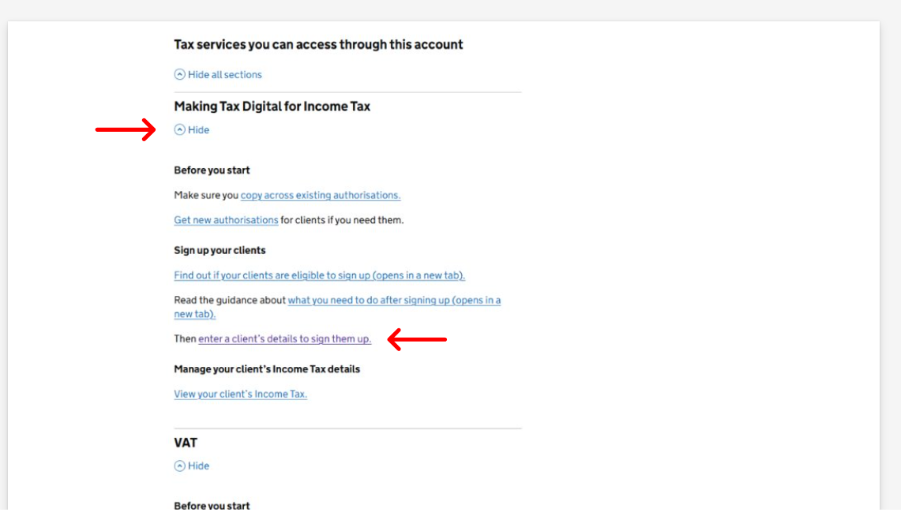
- Scroll down on the HMRC Agent Services homepage.
- Find the “Making Tax Digital for Income Tax” section.
- Click “Show” to display the available options.
- Select the relevant option to begin registering your client.
Enter Client Details
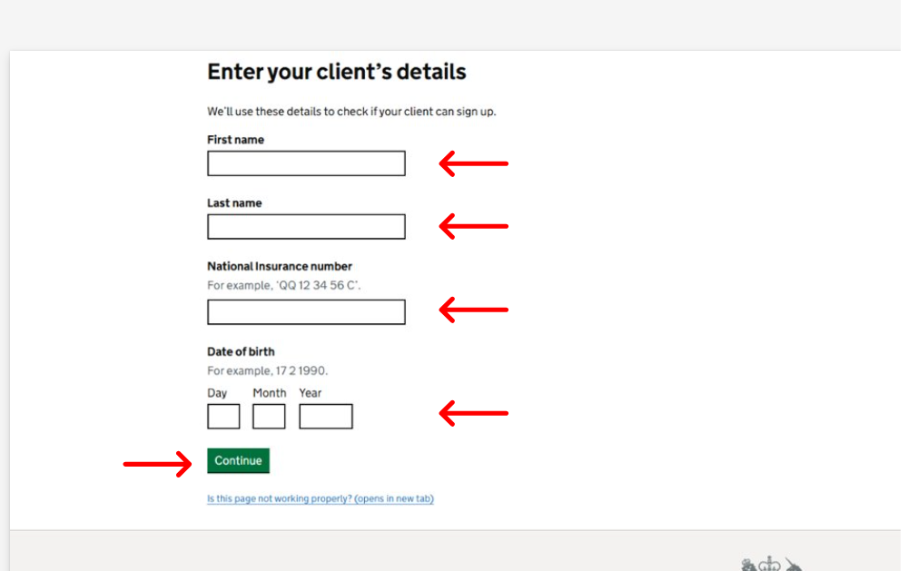
- Enter your client’s details when prompted, including their UTR and National Insurance number.
- Complete all required fields with the relevant client information.
- Click “Continue”.
- Review the eligibility result provided by HMRC to confirm whether your client qualifies for MTD for Income Tax.
Important: Ensure the client’s income information in Capium matches the data held by HMRC to avoid eligibility issues. |
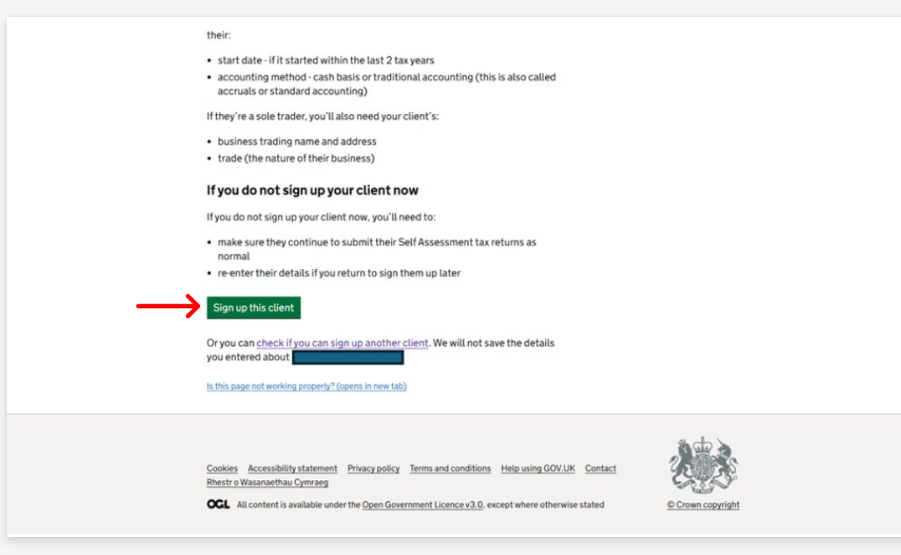
Sign Up the Client
- Confirm that HMRC has confirmed your client is eligible.
- Click “Sign up this client”.
- Click “Continue” to proceed to the next page.
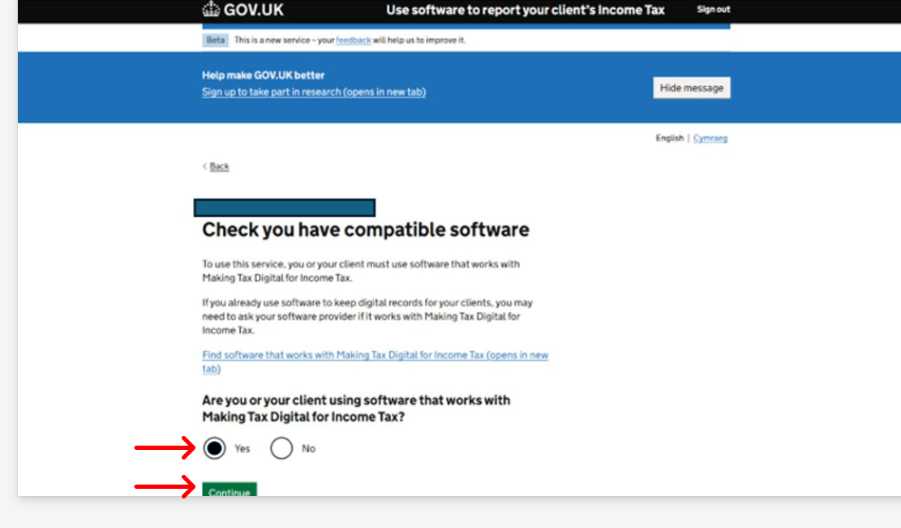
Confirm Compatible Software
HMRC requires confirmation that you are using compatible MTD software.
When prompted:
- Select “Yes” to confirm.
- Click “Continue” to proceed.
- Continue with the registration using Capium’s Self-Assessment module, which supports MTD for Income Tax submissions.
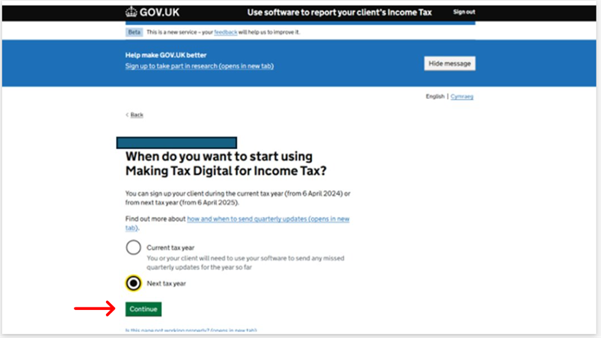
Choose When to Start
You will be asked whether you want to:
- Select one of the following options:
- Start MTDIT from current tax year
- Start MTDIT from the next tax year
- Select the option that applies to your client.
- Click “Continue” to proceed.
- Make your selection carefully based on your client’s readiness, bookkeeping accuracy, and ability to meet quarterly reporting requirements.
- Click “Continue”.
Important: If a client’s records are not yet digital-ready, consider preparing workflows internally before opting to start immediately. |
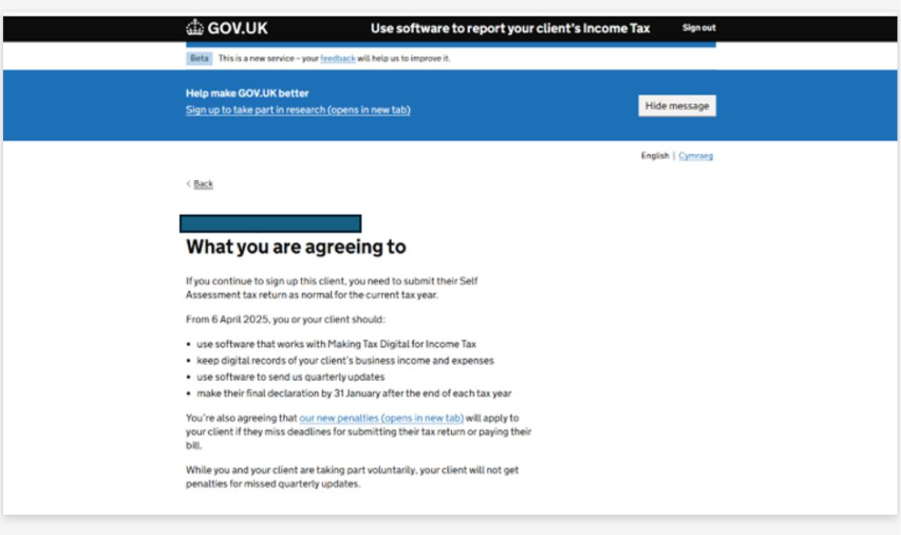
Review the Agreement Page
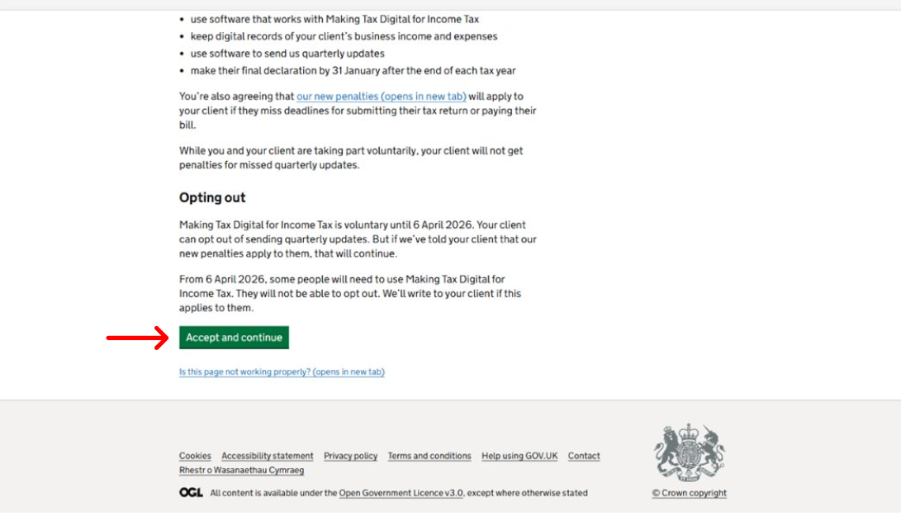
You will now see the agreement page outlining disclosures and responsibilities.
- Review all declarations carefully.
- Click “Accept and continue”.
Review and Edit Income Sources
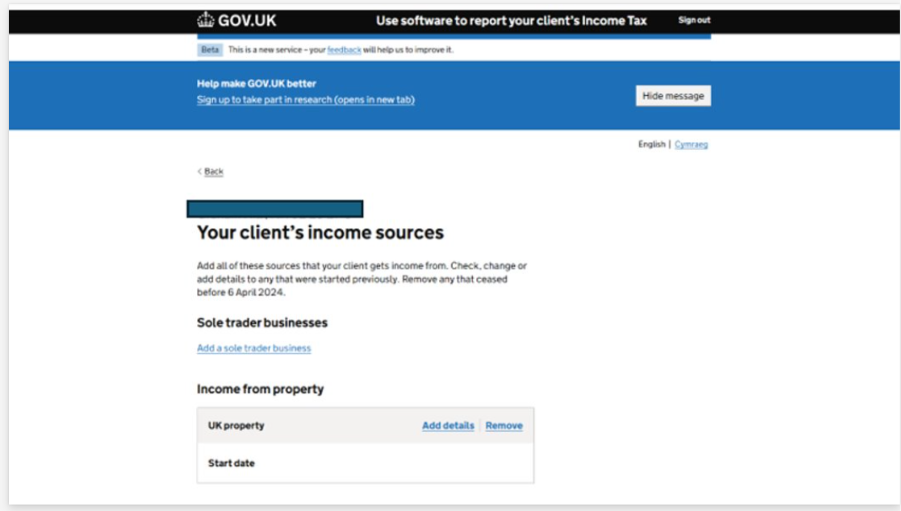
- Review the income sources displayed by HMRC.
- Check the listed income streams and make any necessary changes.
- Edit or add income sources if required.
- Click “Save and next”.
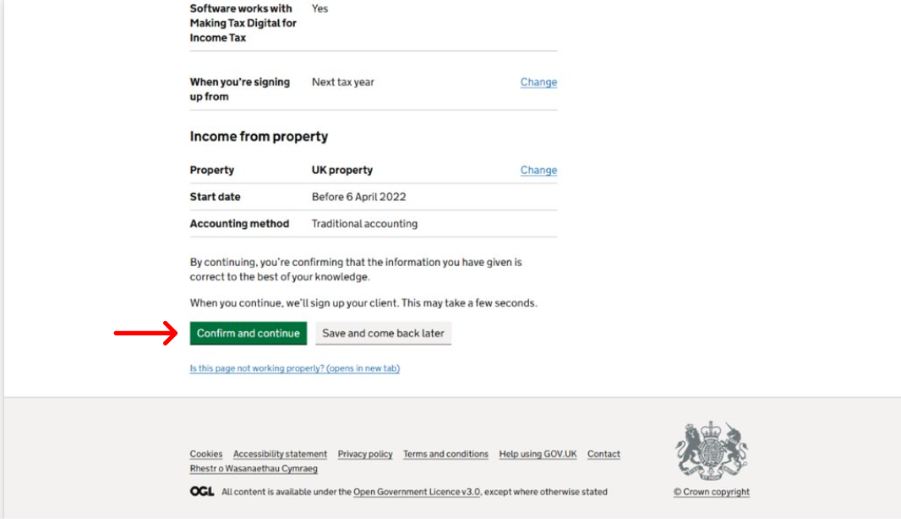
Check Details and Confirm Accounting Method
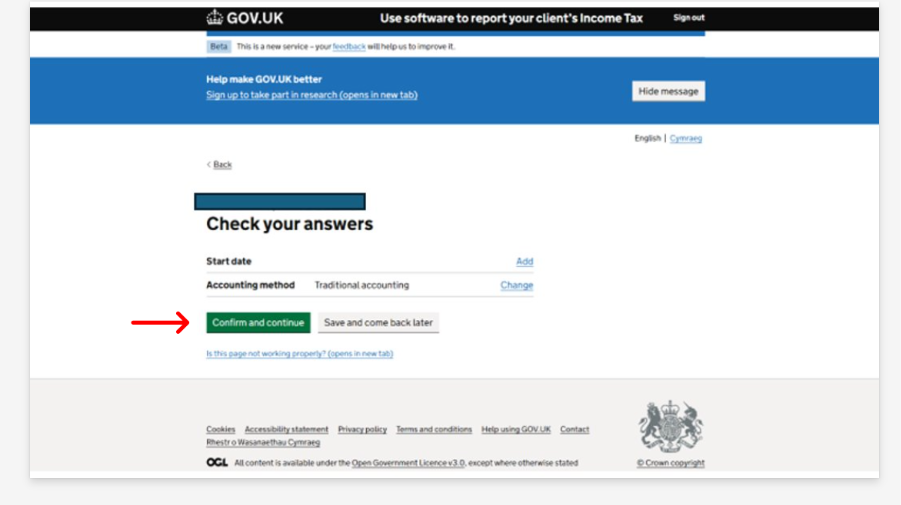
Important: The accounting method selected here must align with what is recorded in Capium to ensure smooth quarterly submissions. |
Make the Declaration
- Review all the information one final time.
- Make the declaration to confirm the information provided is correct.
- Click “Confirm and Continue” to submit the registration.
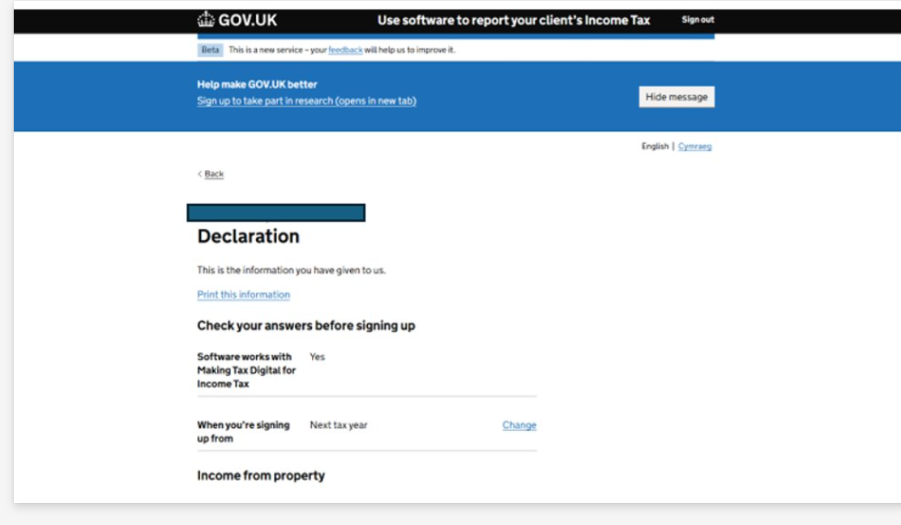
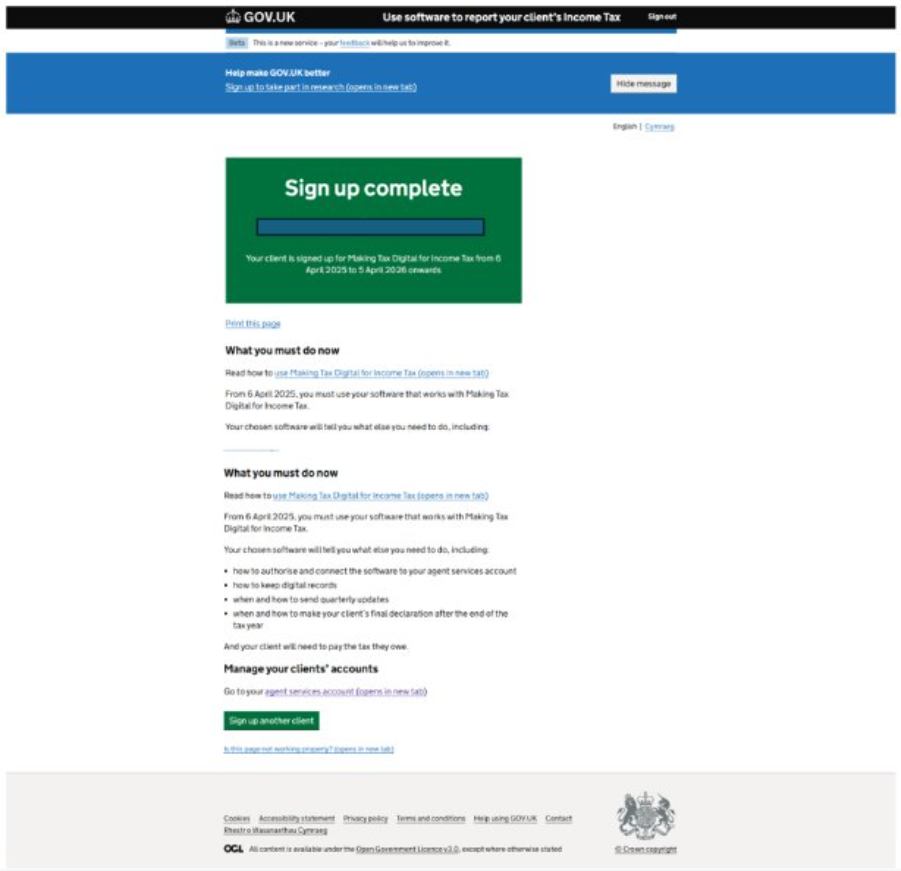
Once completed, your client will be signed up for Making Tax Digital for Income Tax.
Related articles:
MTD IT - How to allow software to connect with HMRC
MTD IT: How to Revoke HMRC Authorisation for a Client
What does “Authorised with HMRC” mean and why do I need it? (MTD IT)
How to Add Client Authorisations to Your Agent Services Account