
This article will demonstrate how to authorise the clients in Bulk, If you have already authorised few of your clients by following the steps as mentioned in the HMRC portal.
Bulk Authorisation allows accountants to authorise multiple clients in a single action, helping save time and streamline the authorisation process.
Before you start:
• Add New client in MTD - Make sure you have set up the clients into the system.
• Authorise the client with HMRC - Clients has to be Authorised in the correct steps to proceed with Submissions.
Step 1: Open the MTD IT Clients List:
Navigation: MTD IT > Manage
Once your clients are set up in Capium, you can begin the agent authorisation process.
Navigate to Manage section.
You will be taken to the Clients List.
Select Agent Authorisation at the top of the client list.
You will be redirected to the HMRC portal.
Follow the instructions provided on the HMRC portal.
Sign in to HMRC Online Services using your agent credentials.
Complete the required steps to proceed with the bulk client authorisation process.
Please refer the below picture for your reference.
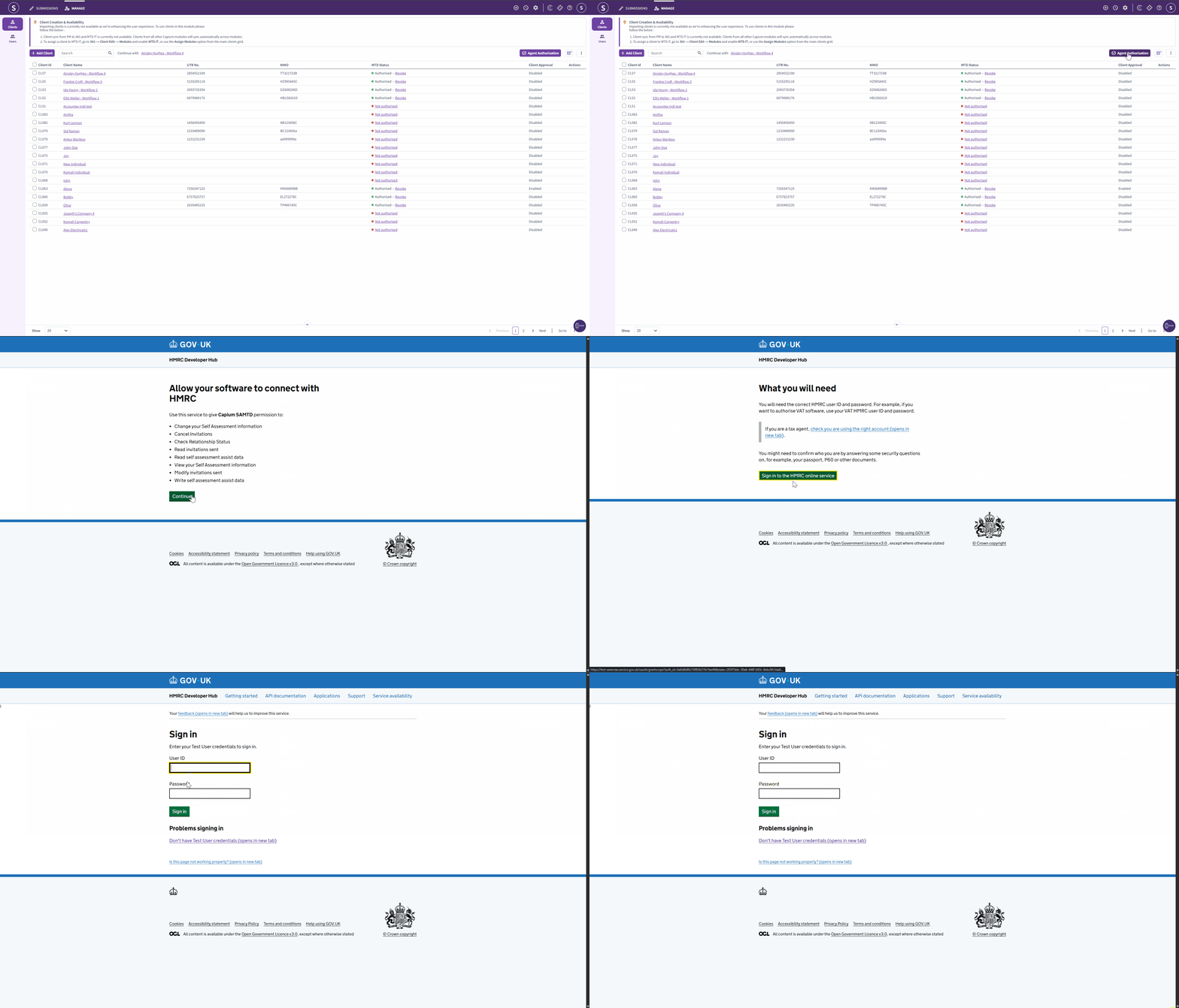
Note: As part of the agent authorisation, you will be required to complete the HMRC Identity verification. Sign in using your Agent Services Account (ASA) credentials. |
Step 2: Bulk Authorisation - Select Multiple Clients:
Navigation: MTD IT > Manage > Clients
Once the HMRC agent authorisation process has been completed, you can select the clients you want to authorise.
Navigate to Manage section.
The list of clients will be displayed.
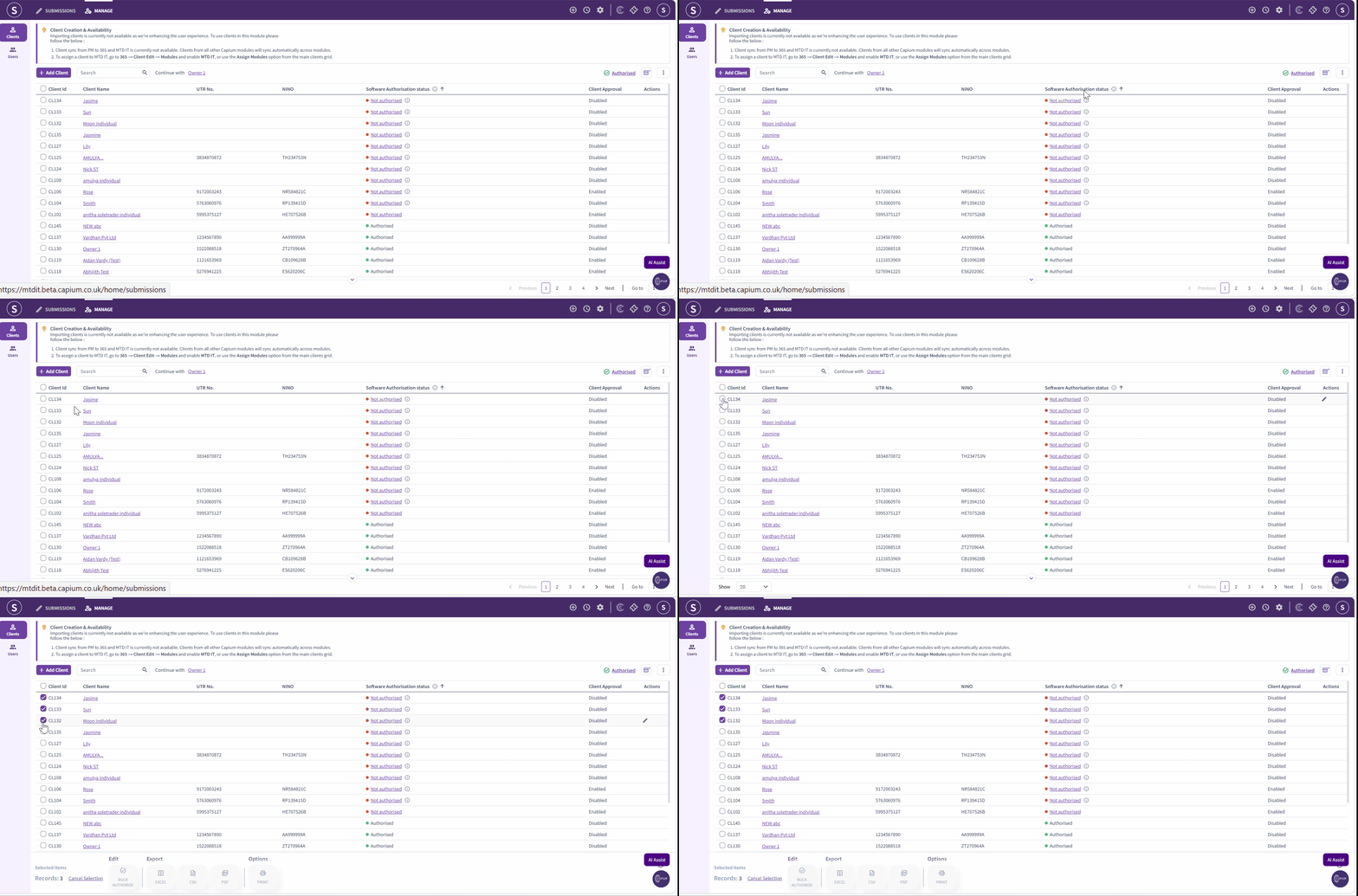
Select the checkbox on the left-hand side of each client you want to authorise.
You can select multiple clients at the same time.
Once you have selected all the required clients, select Bulk Authorise at the bottom of the screen.
Please refer the below picture for your reference.
Step 3: Status Confirmation:
Once the clients have been successfully authorised in bulk, verify the status of each client to confirm that the process has been completed correctly.
Return to the Clients List.
Review the status of each client selected for bulk authorisation.
The client status should be updated to Authorised.
The Authorised status confirms that the bulk authorisation has been completed successfully.
Please refer the below picture for your reference.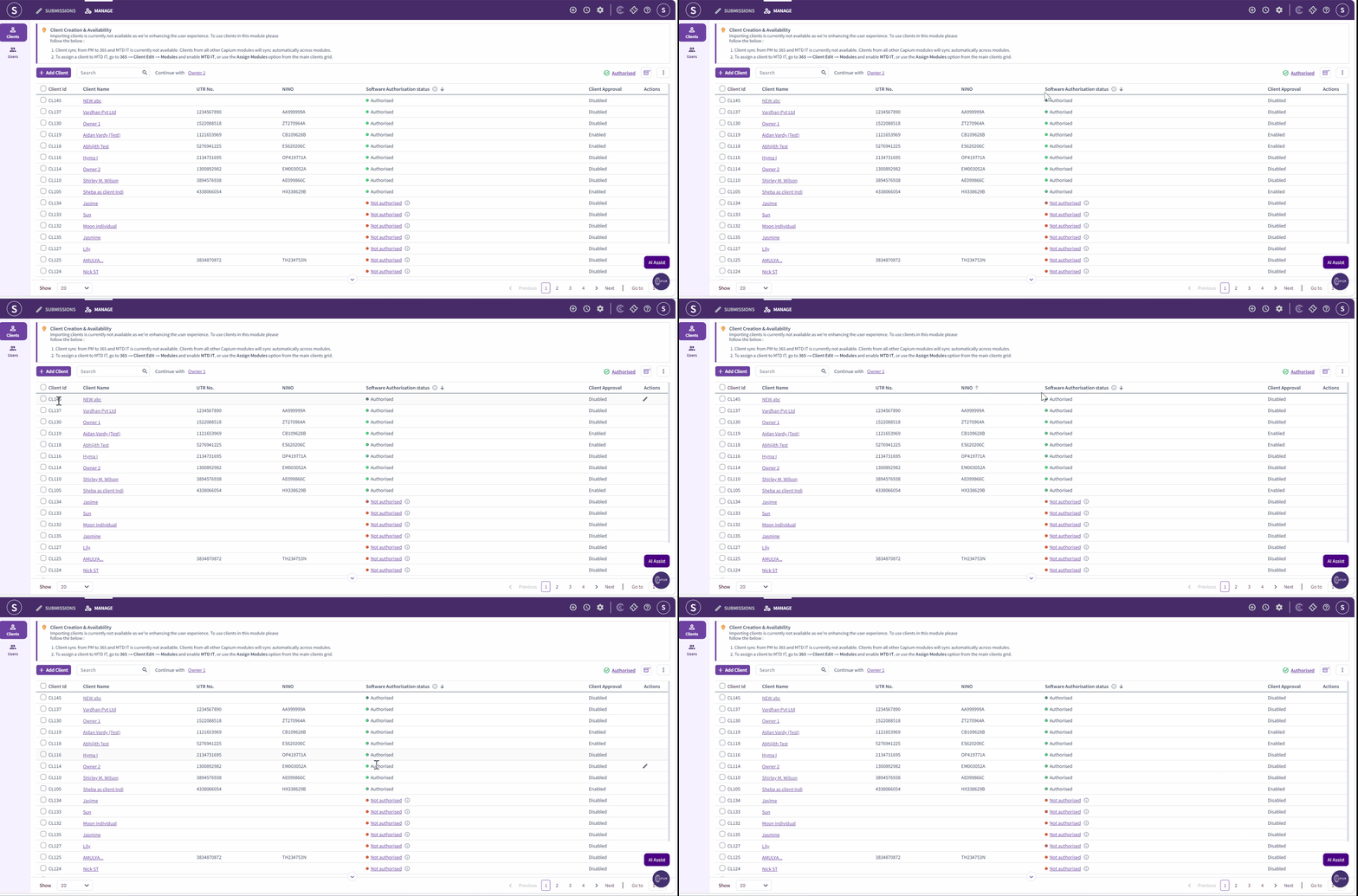
Please use the below links to refer our dedicated articles explaining the authorisation process and other related articles.
Related Articles:
- MTD IT - Checking and Registering your client with HMRC
- MTD IT: How to Allow Software to Connect with HMRC
- MTD IT: How to Revoke HMRC Authorisation for a Client