
To submit under MTD IT, you must first authorise the software to connect with HM Revenue & Customs. This process securely links your Agent Services Account (ASA) with the software, allowing it to interact with HMRC on your client’s behalf.
Before you start:
You will need to allow Capium to connect to HMRC. Follow the steps below to start the authorisation process.
1. Open the MTD IT Module
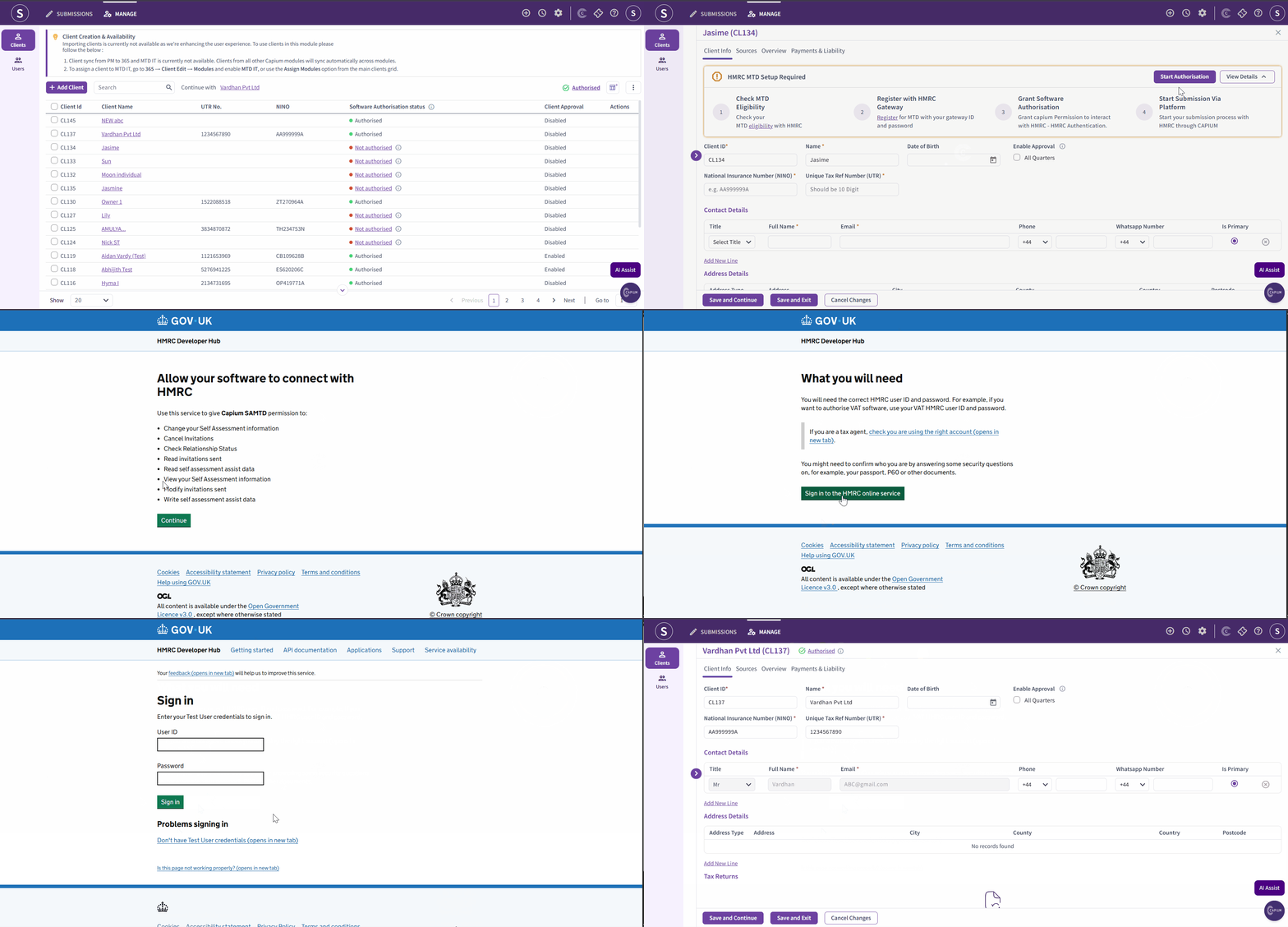
Navigation: MTD IT >Manage > Select Client >Start Authorisation
- From your dashboard, search for and open the relevant client.
- Click into the relevant client.
- Now click 'Start Authorisation'.
You can also bulk authorise your clients as well. Please click here to view the article on how to bulk authorisation.
2. HMRC Authorisation Process
Once you're in the HMRC portal follow the steps shown on your screen.
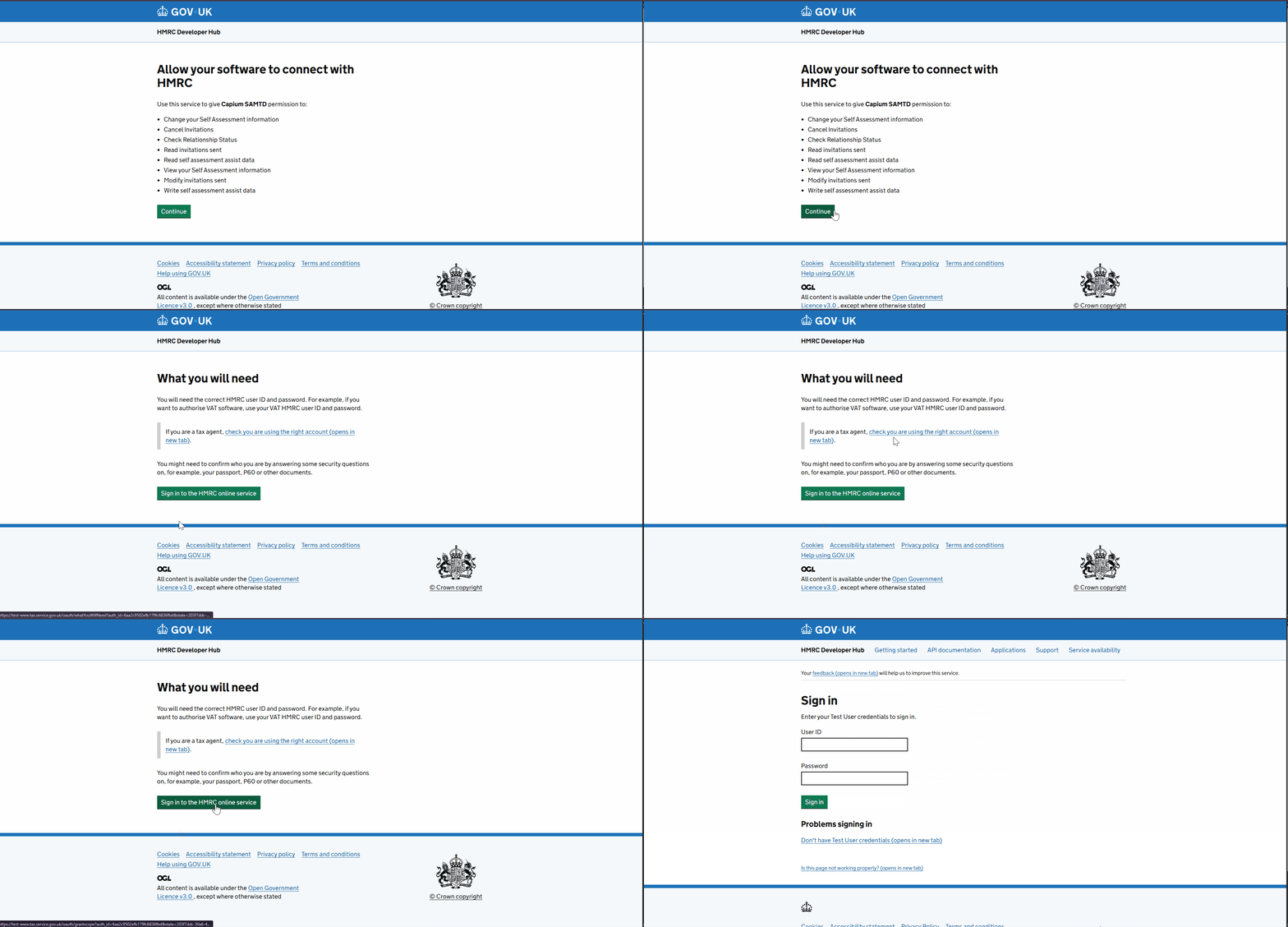
- Once clicked on Start Authorisation, you will be redirected to the HRMC authorisation page, select Continue.
- Then click 'Sign in to the HRMC Online services'.
3. Complete HMRC Authorisation
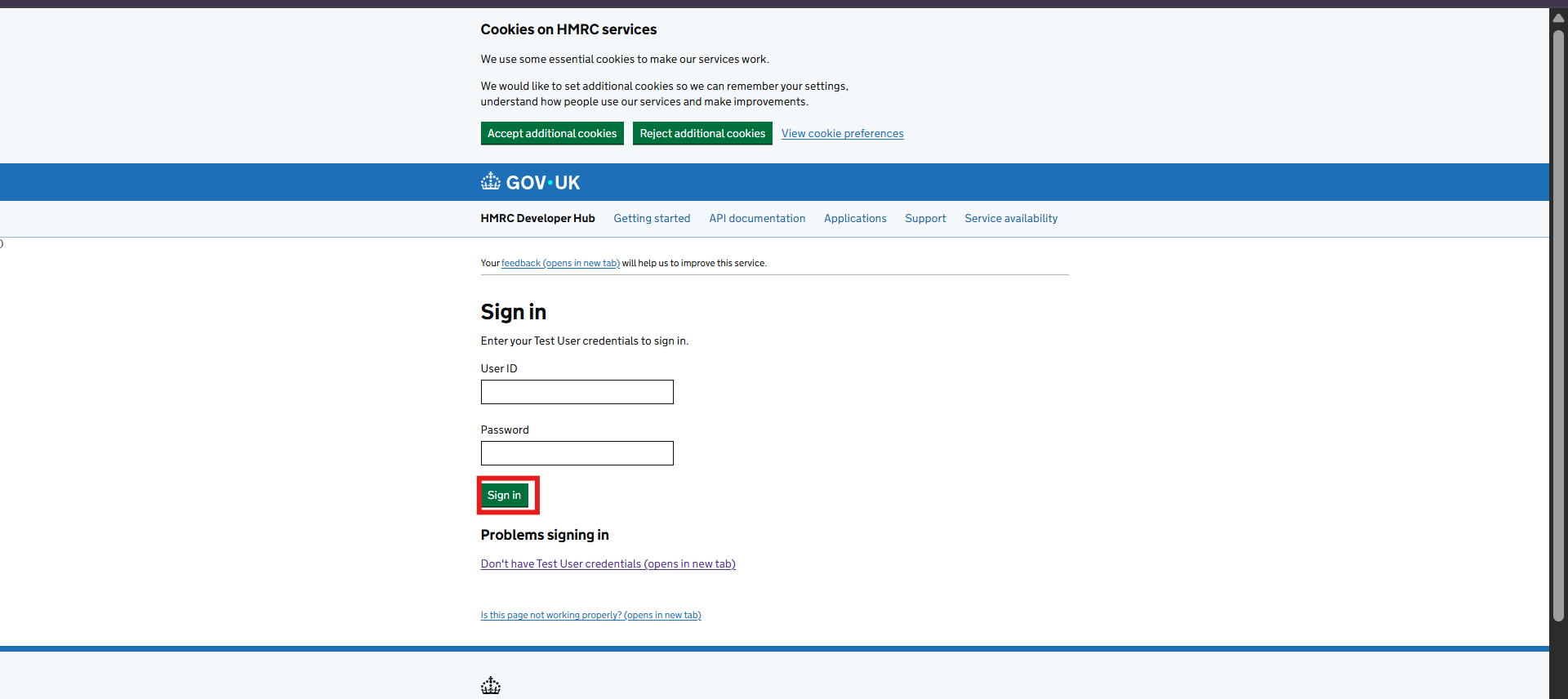
- Sign in using your Agent Services Account (ASA) credentials
- Once signed in this will allow the software to connect with HRMC
- Click Give permission.
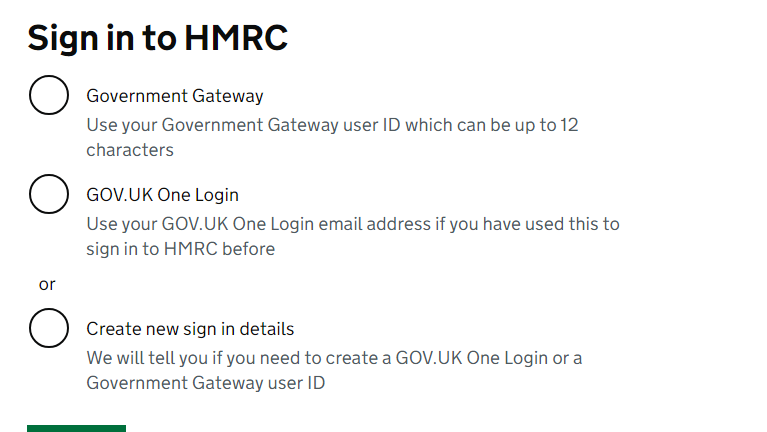
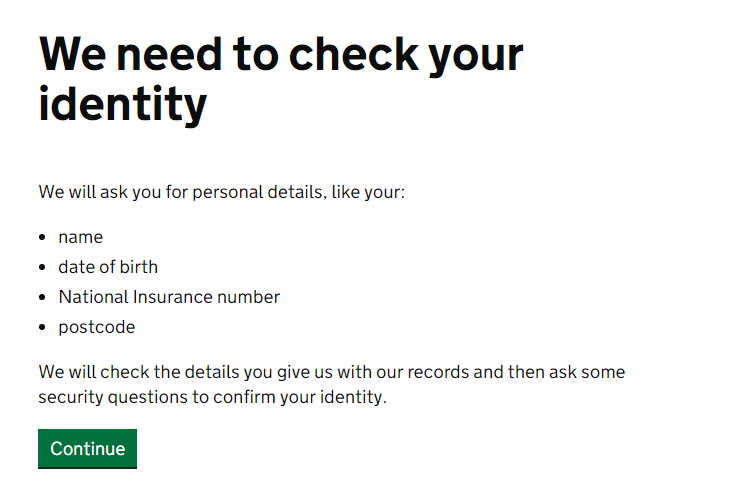
For the next step, once you have signed up you have to prove your identity with HMRC providing the following information.
4. HMRC Confirmation & Status Update
- Once the authorisation is approved, HMRC will confirm the request.
- You will then be redirected back to Capium automatically.
- The client’s MTD IT status should update to Authorised.
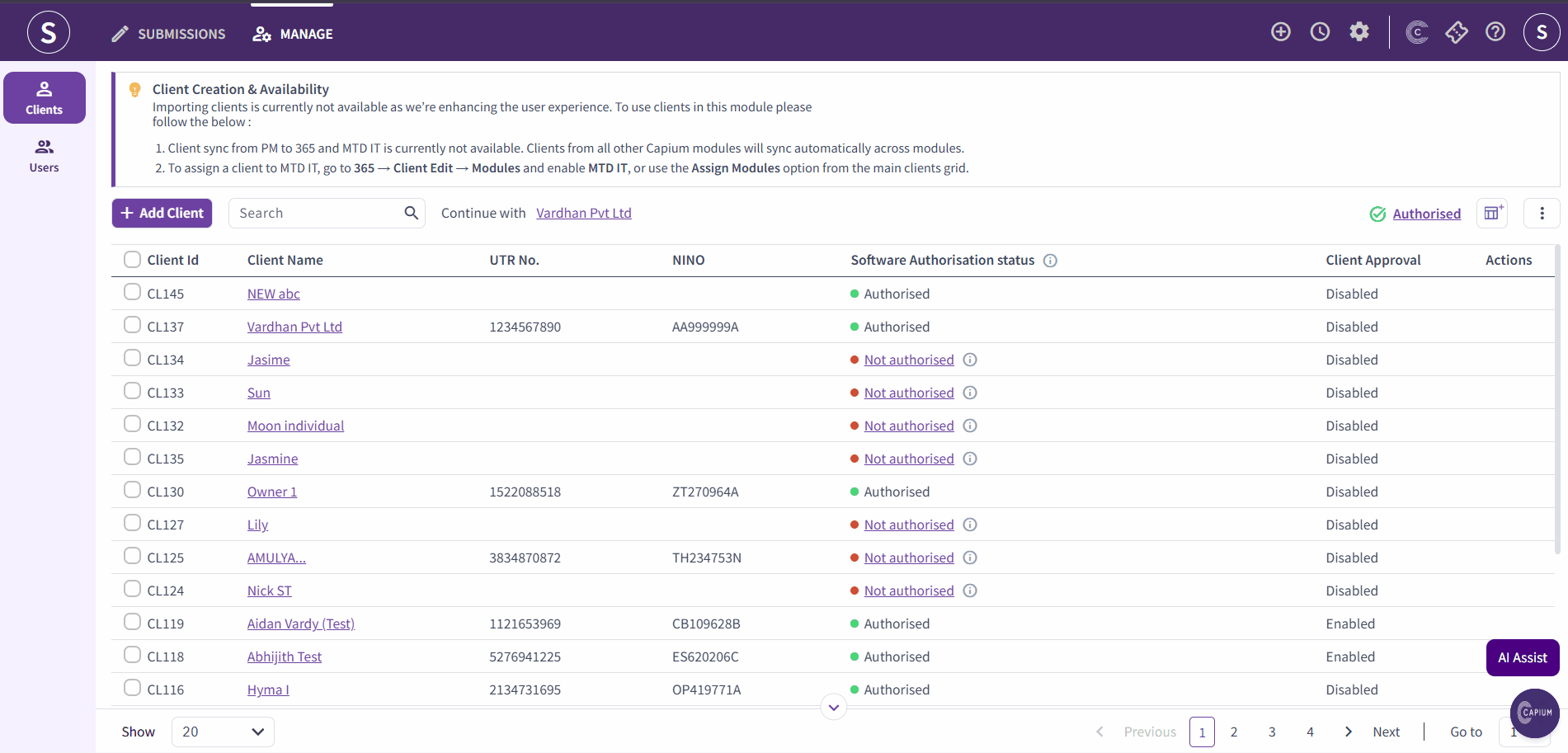
Important: If the status does not update immediately, refresh the page or re-open the client record to confirm the authorisation has been successfully applied. |
You will be able to review and verify the client’s income sources and proceed with setting up the tax return within the system.