
This article walks you through moving a client's digital records from Manual Entry to the Bridging workflow, for both a standard submission and a resubmission where a quarter has already been submitted using Manual Entry data.
For background on why this change is happening, see Manual Entry Mode Discontinued for MTD IT.
Any clients using Manual Entry will need to complete this process before the first quarterly submission deadline of 7 August 2026.
Common steps
These steps apply whether you are making a standard submission or a resubmission.
Navigation > MTD IT > Submissions Grid > Select Client > Select Business > View and Submit. This opens the client's Digital Records screen.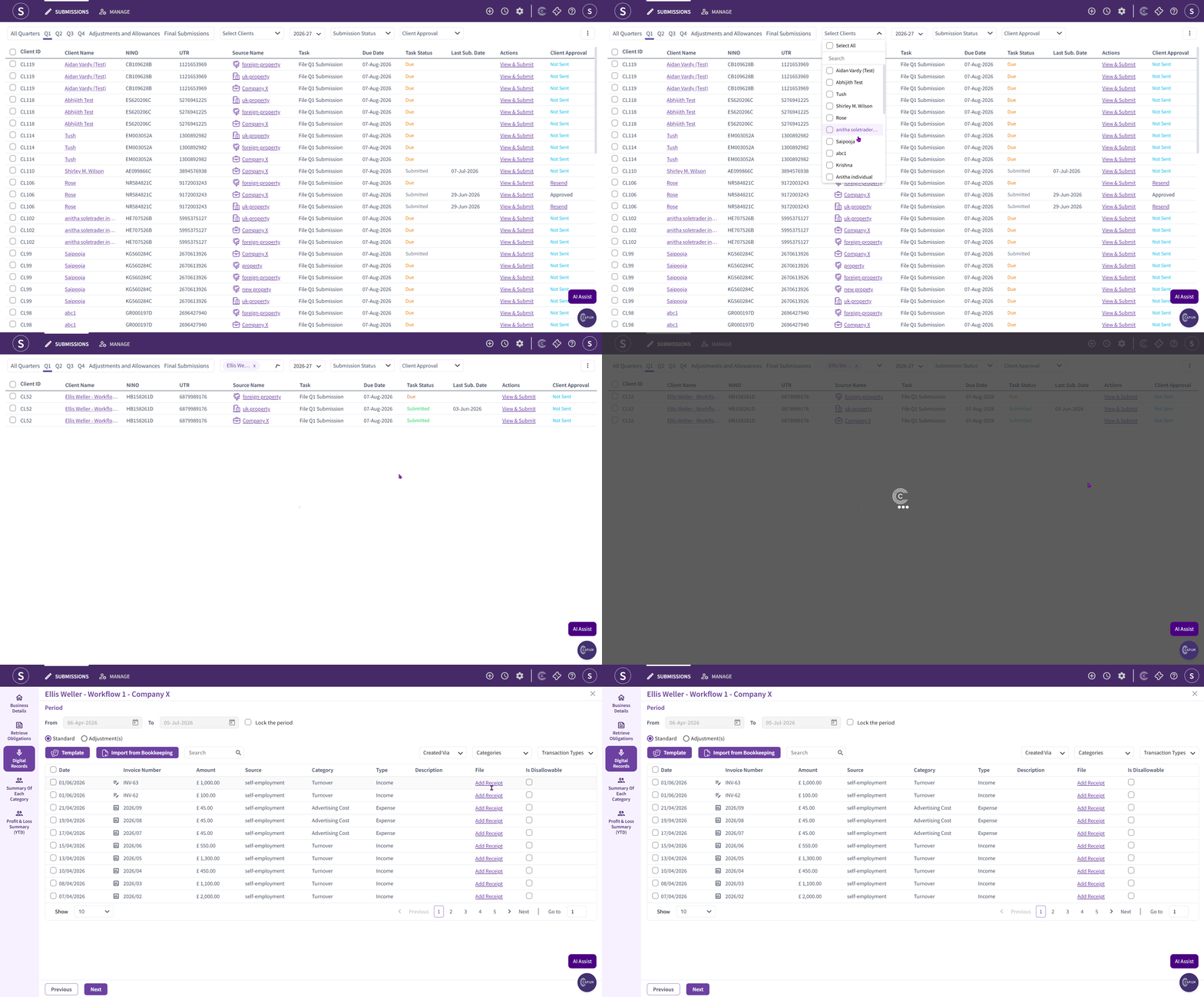
On the Digital Records screen, you will see the client's list of transactions, including any added through Manual Entry. Each transaction shows a small icon next to the date and invoice number, showing whether it was manually entered or imported via a template.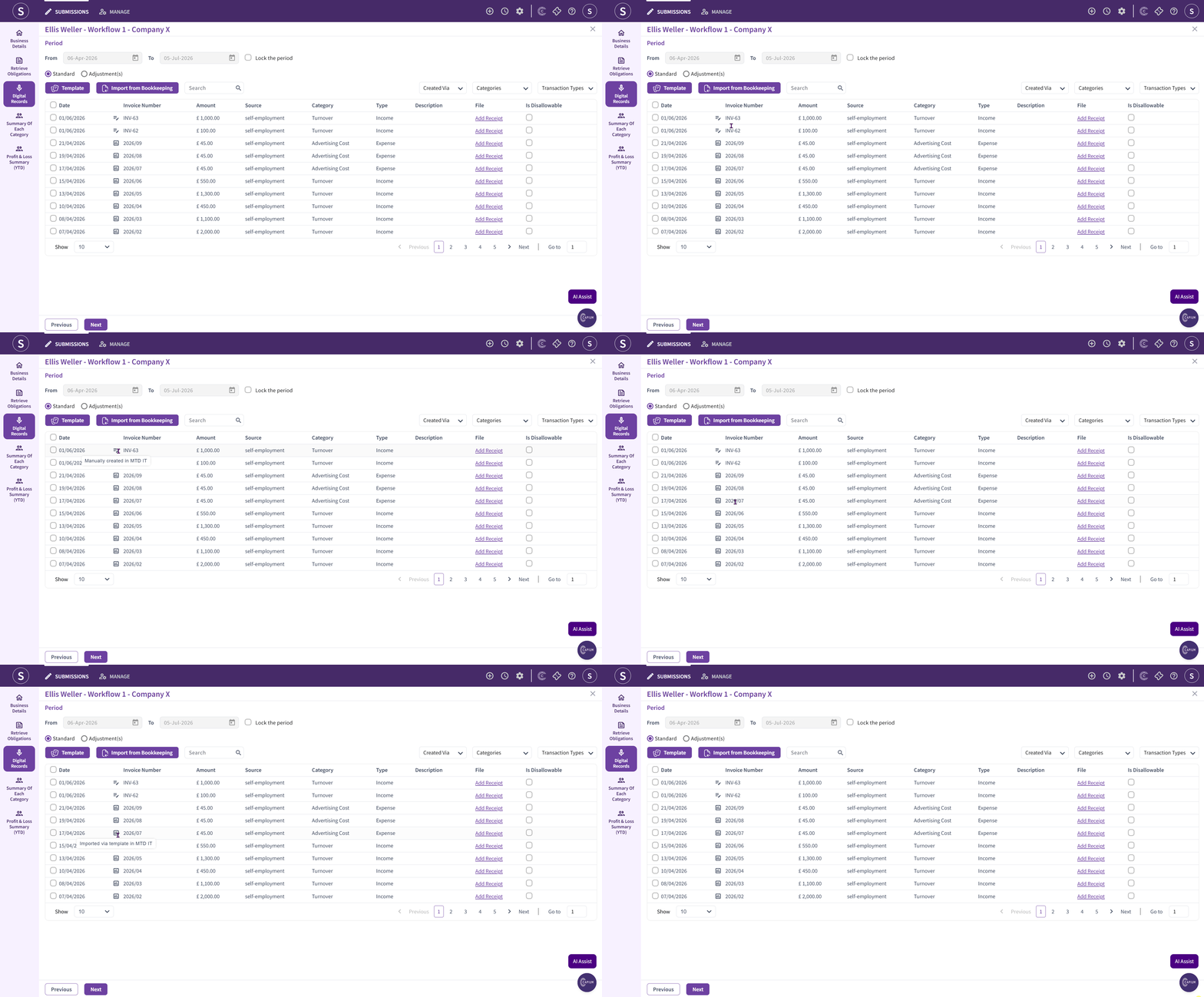
Select the checkbox to the left of the date column header to bulk select all transactions.Once selected, a pop-up appears at the bottom of the screen. Choose the Excel export option and download the file.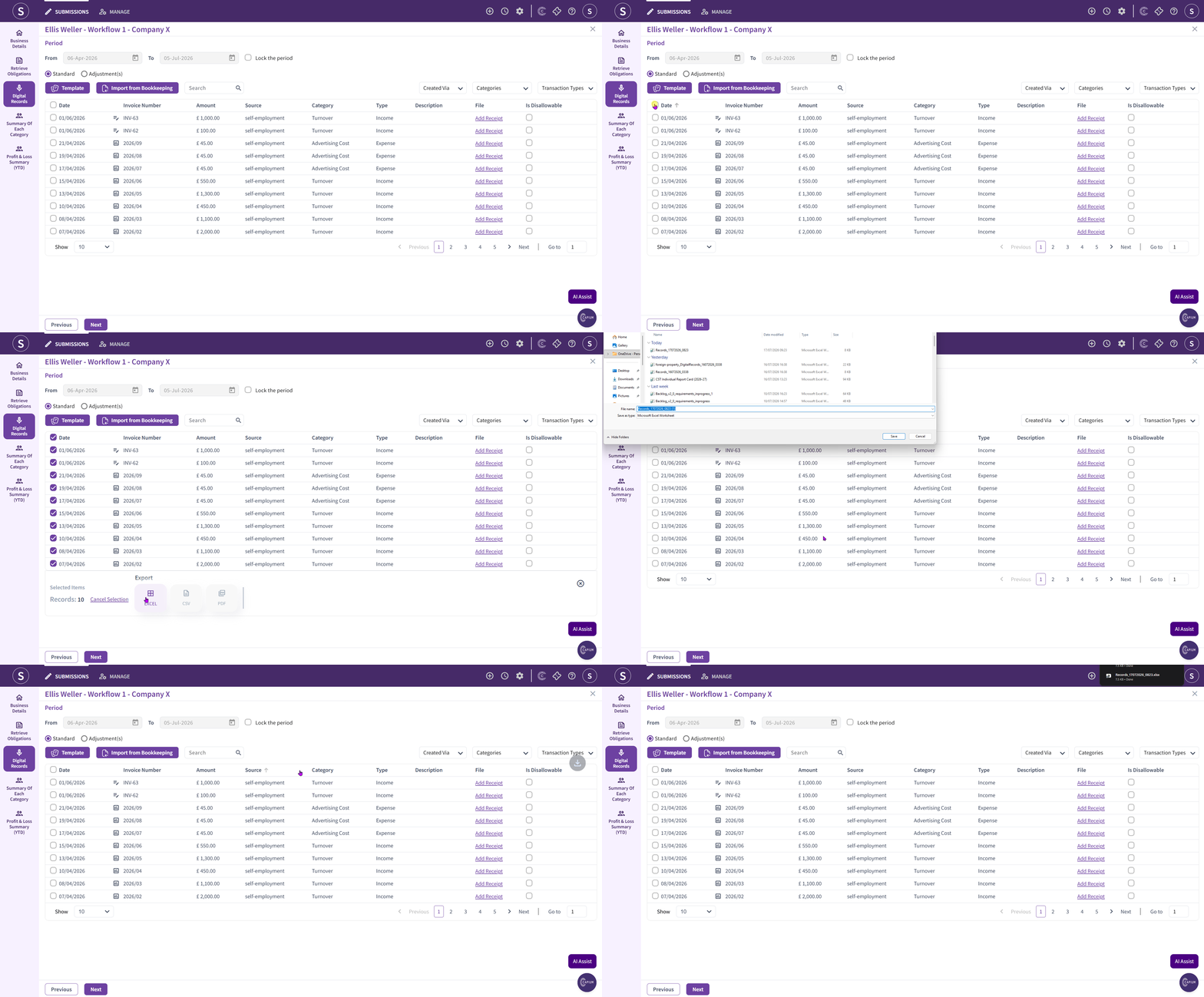
Go to the templates section and download the Bridging import template.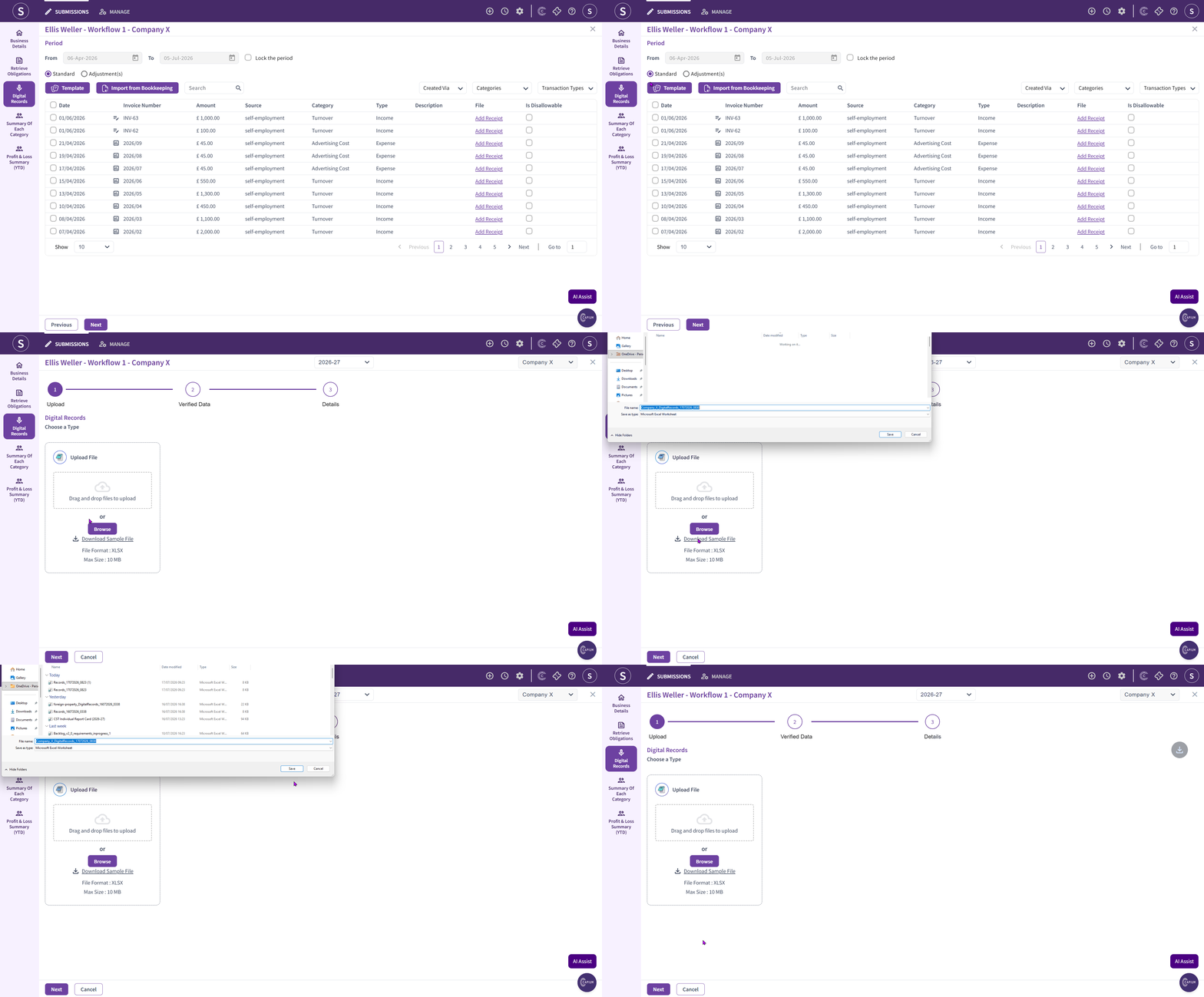
Open both the file you exported and the Bridging template you downloaded. Copy the exported transactions into the template, adding or amending any transactions as needed.
- Save the completed template.
- Upload the completed template on the Digital Records screen. This replaces the data currently shown there. Only the transactions included in your uploaded file will remain on the Digital Records screen.
- Go to the Cumulative Summary page and review your totals for each category before submitting.
From this point, follow the steps for either a standard submission or a resubmission below.
Submissions to HMRC
Use this workflow if you have not yet submitted this quarter's digital records for the client.
- Complete the steps above.
- On the Cumulative Summary page, review your totals for each category.
- Submit as normal to HMRC.
For Resubmissions to HMRC. This is a straightforward resubmission and will override your previous submission for the quarter with the Bridging-based figures.
Using the file going forward
Bridging submissions are cumulative, so you will use the same import file throughout the tax year. Each quarter, add that period's transactions to the file and re-upload the whole file. This keeps a complete, up-to-date record for each cumulative submission to HMRC.