
Welcome to this quick guide on how to delete Deadlines in Practice Management. This guide will walk you through the essential steps.
Deadline - Workspace
Navigation: Practice Management > Workspace > Deadlines
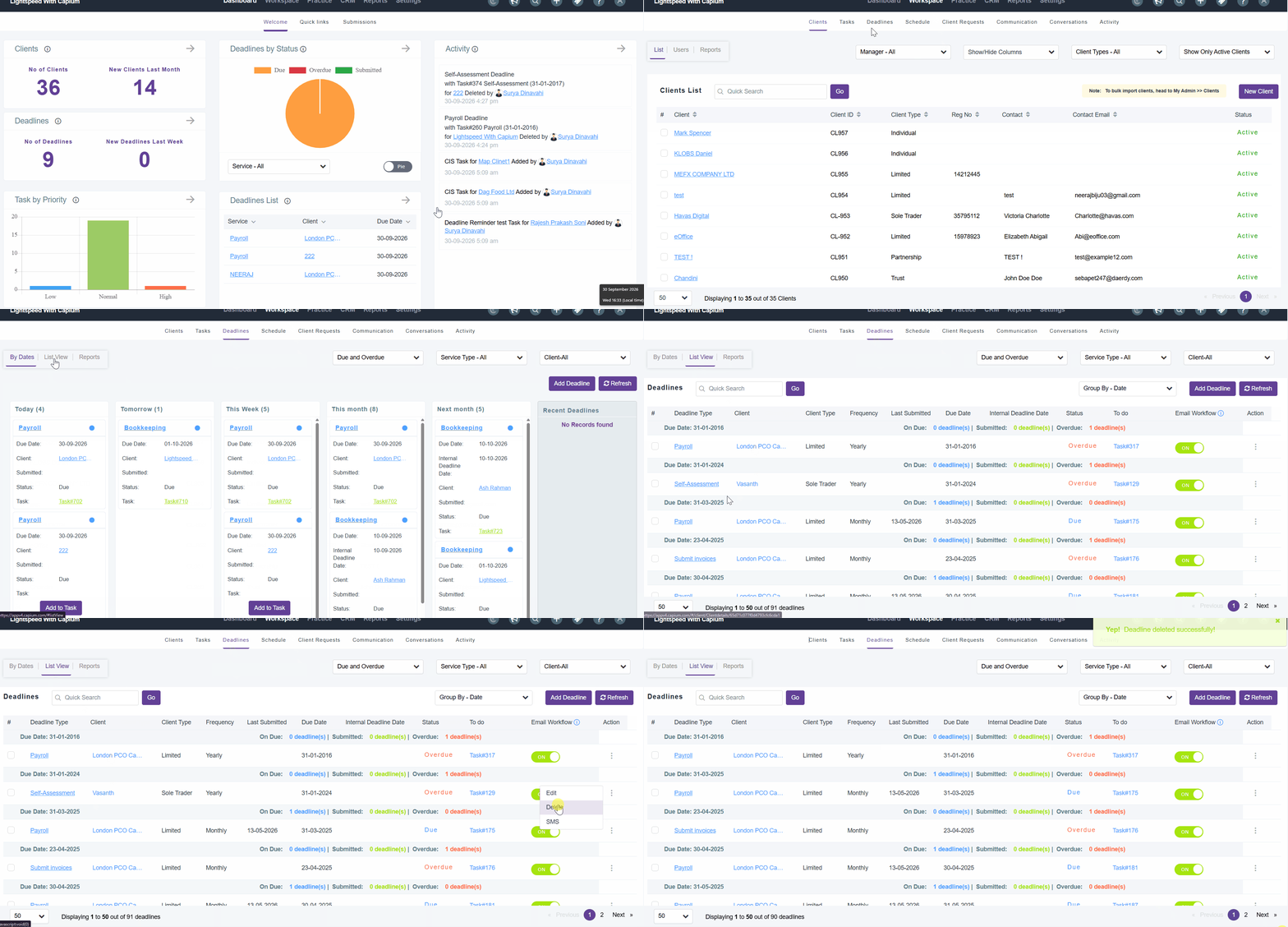
Firstly, navigate to the Practice Management module.
Next, go to Workspace and select Deadlines. This is the main universal workspace where you can view and manage all your clients’ deadlines in one place.
Select List View to see all the deadlines, then select the specific deadline you wish to delete.
Click on the three dots next to the deadline and select Delete.
A confirmation pop-up will appear. Select Yes to confirm, and the deadline will be deleted.
Deadline - Client Specific
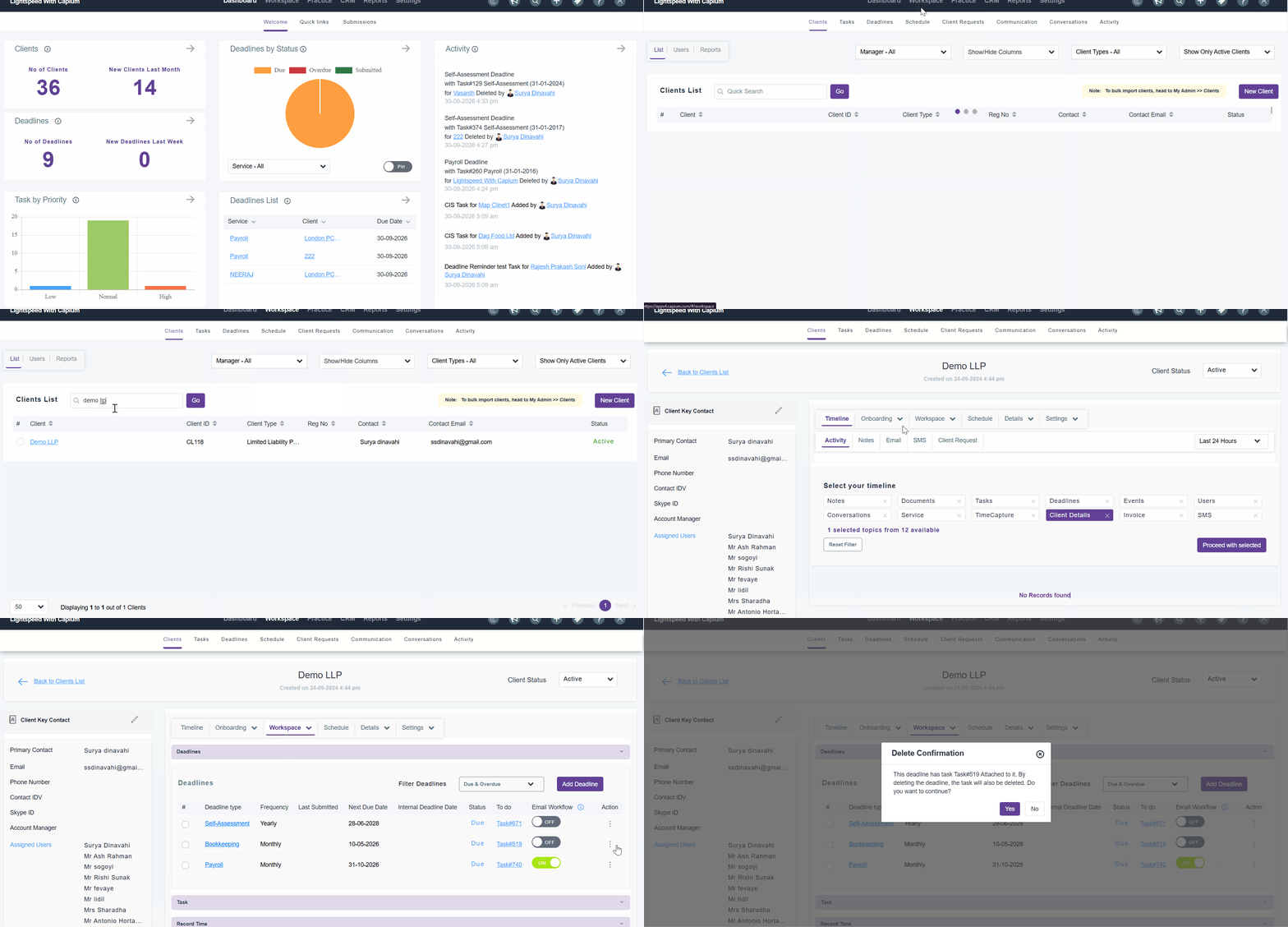
You can also delete deadlines from a client-specific level. To do this, go to the specific client, select Workspace, and then select Deadlines.
Find the deadline you wish to delete, click on the three dots, select Delete, and then click Yes to confirm.