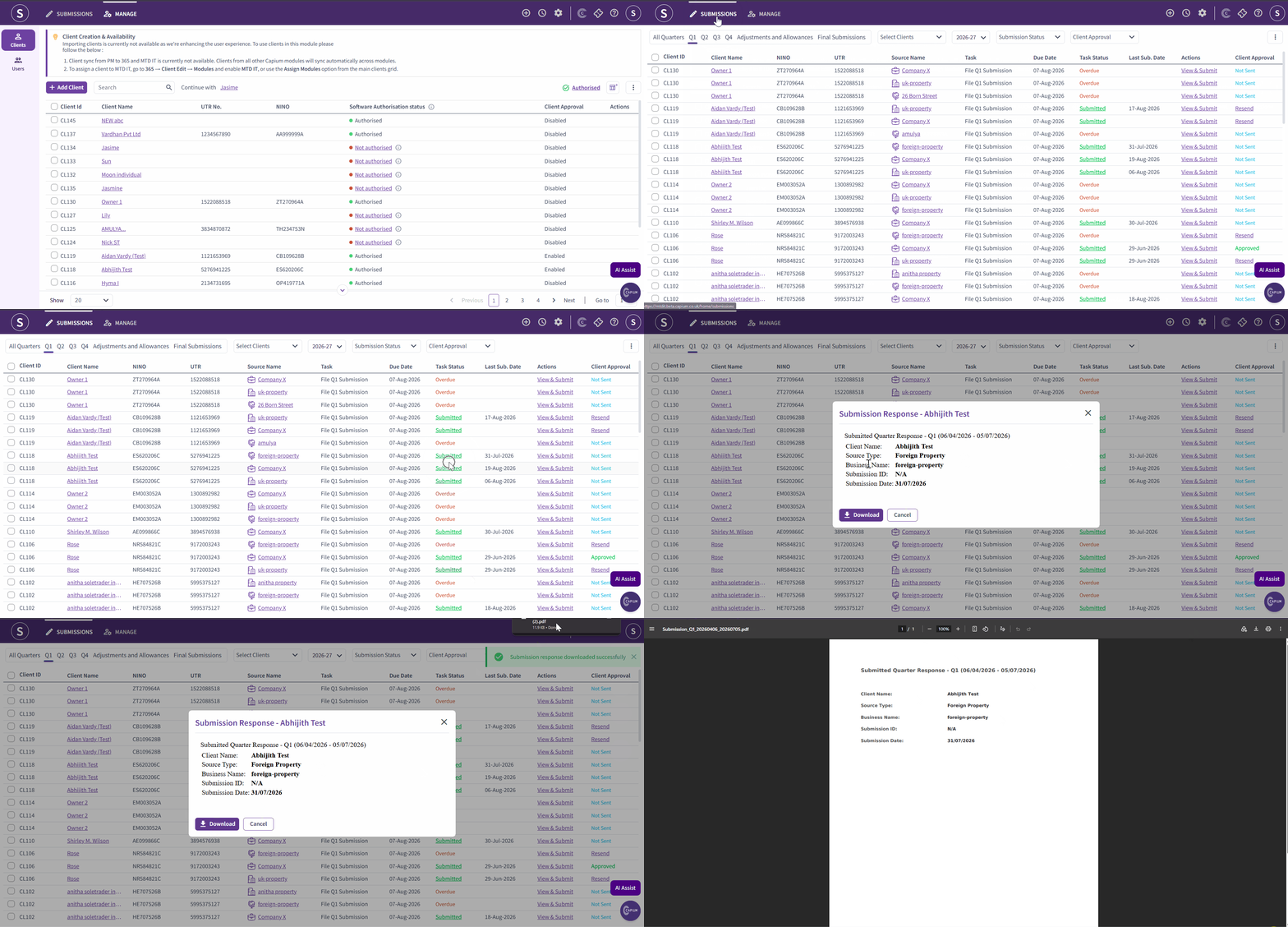
Welcome to this quick guide on MTDIT Submission Status. This guide will walk you through the essential steps.
MTDIT: Submission Status
Navigation: MTDIT > Submissions > Client Specific (Task Status) > Submitted
You can now view the submission status of your quarterly returns for each source of income, making it easy to keep track of your submissions and their current status.
Follow the steps below to view and download the submission status.
- Navigate to the MTDIT Module
Open the MTDIT module and click on Submissions. - Select the Client
Find the specific client whose submission status you would like to view. - View the Submission Status
Click the “Submitted” button next to the relevant client. - Review the Submission Details
A pop-up window will open, displaying all the details for that specific submission. - Download the Submission Status
If you would like to download the submission status, click the Download button. This will generate a PDF document for you.