
Welcome to this quick guide on how to refresh obligations in MTDIT. This guide will walk you through the essential steps.
Refresh Obligations
Navigation: MTDIT > Manage > Client Specific > Sources
To refresh your obligations, first navigate to the MTDIT module.
- Select Manage and choose the client you want to refresh the obligations for.
- Navigate to Sources.
- Click Refresh Obligations.
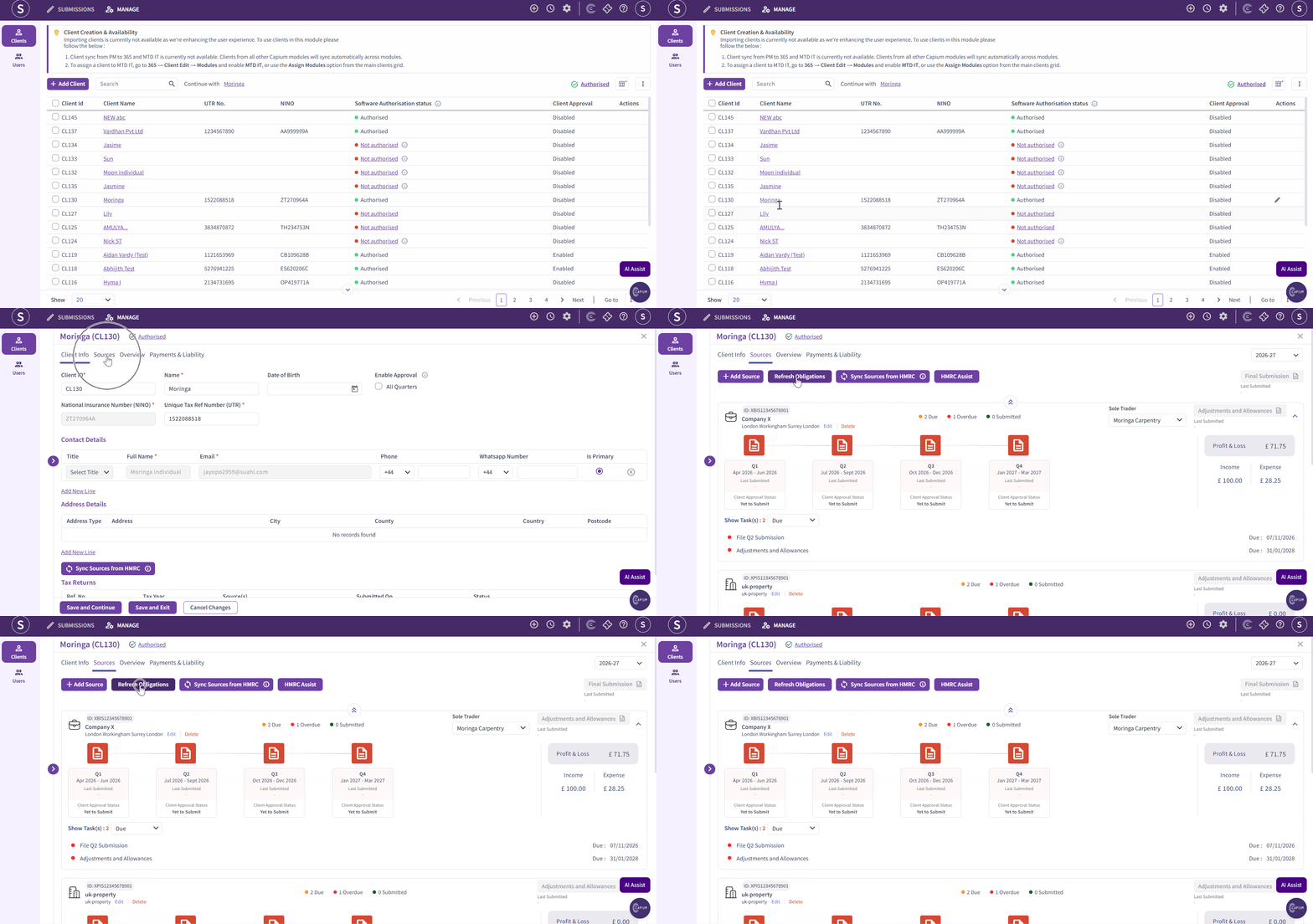
If you have added a tax return for your client and it is not visible under Sources, click Refresh Sources. This will pull through the latest available sources from HMRC and update them in the system.