
How to Unlink an Individual in My Admin and Re-link the client in Capium 365
Purpose: Follow these steps to remove an incorrectly linked individual from a Sole Trader record and then re -link the client to the correct individual in Capium365.
1. Open My Admin
Navigate to My Admin and open the relevant Sole Trader record.Navigation: My Admin → Clients → Select the relevant Sole Trader
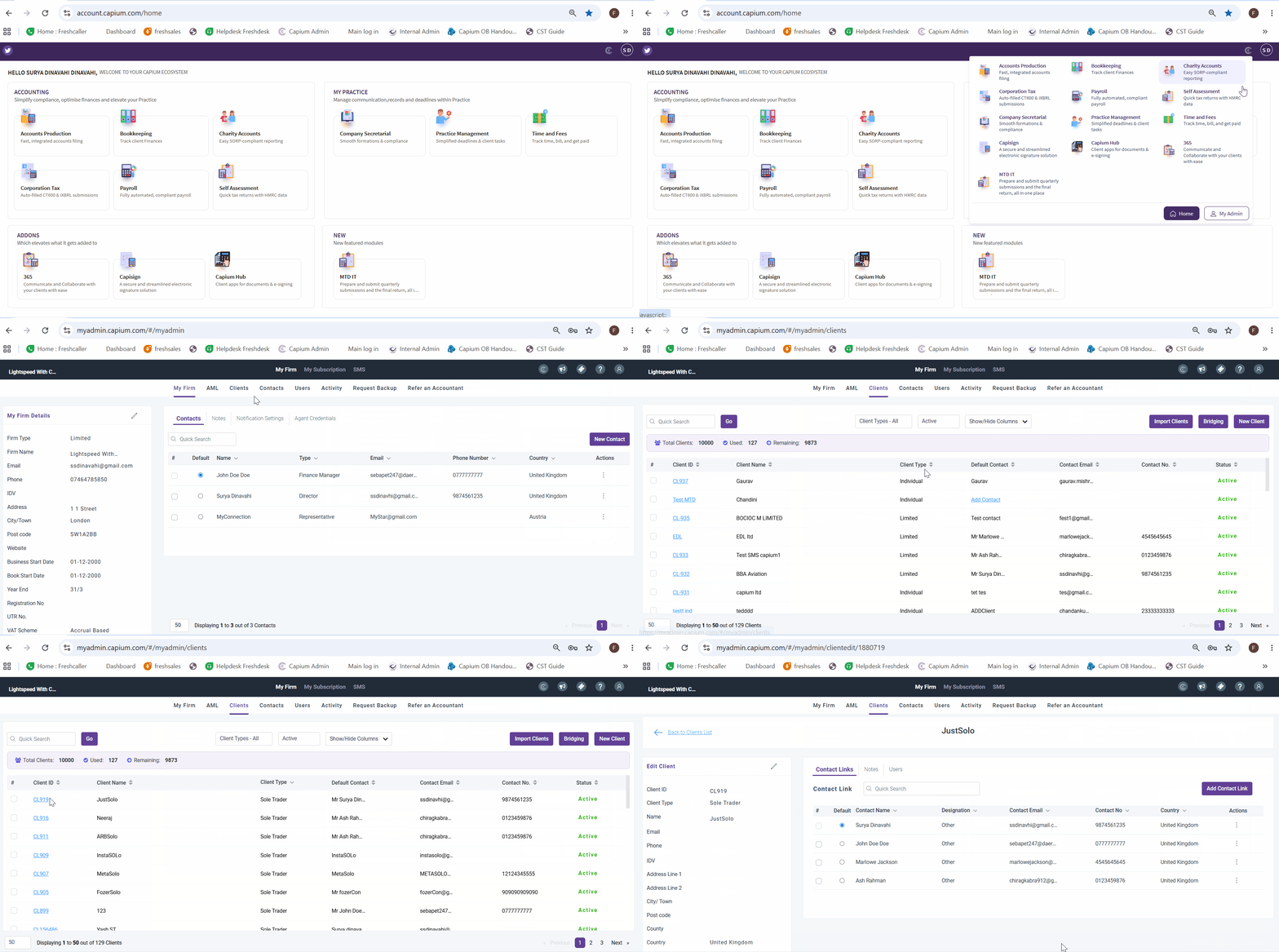
- Edit the Record: Click the Pencil Icon next to Edit Client, to open the record for editing.
- Remove Existing Link: untick the "Link to SA100" checkbox and click Save.
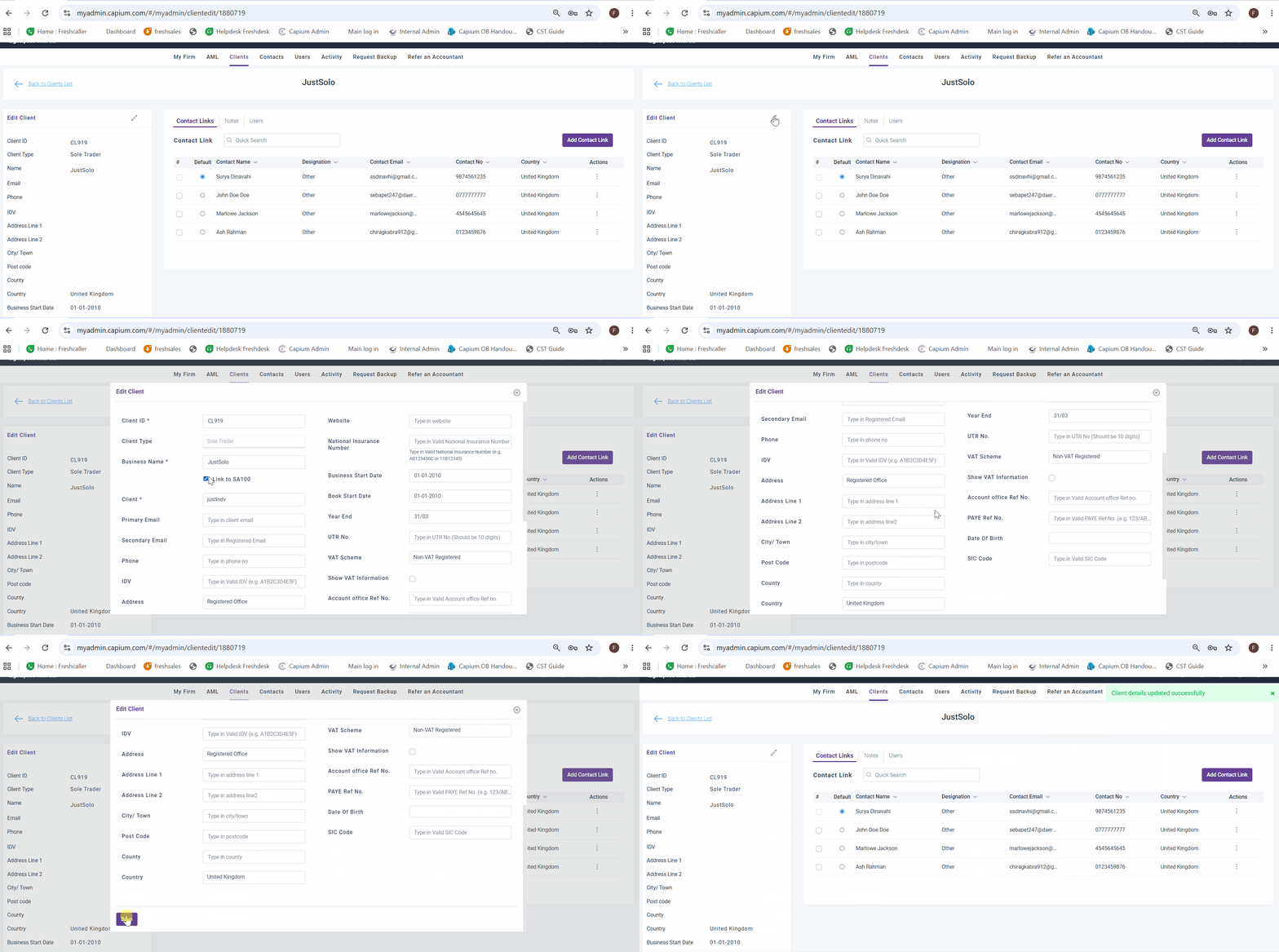
3. Re-link the Sole Trader to the Correct Individual
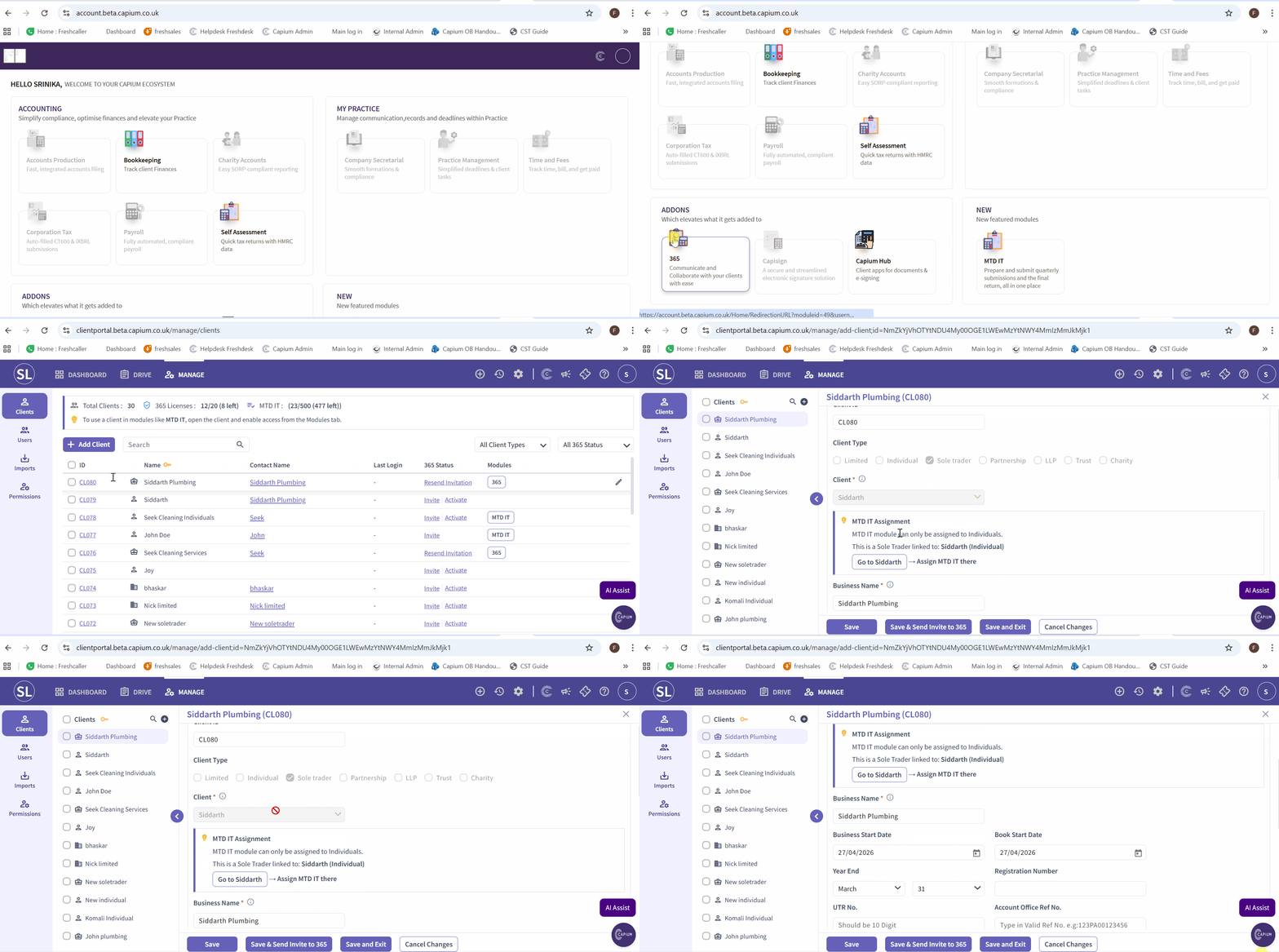
Navigate to the Capium365 Client Portal, open the relevant Sole Trader record, select the correct Individual from the drop-down list, and click Save.
Navigation > Capium 365 > Client Portal
Please refer to the GIF below.
Note: For more detailed instructions on linking Sole Traders to Individuals, please refer to the MTD IT - Linking Individuals and Sole Traders article.