
Introduction
Why You Need an Agent Services Account
An Agent Services Account is required to connect your software to HMRC, sign up clients and manage their records.
Client authorisation must be held within this account. This is separate from your Online Services for Agents account, however authorisations can be added from one to the other.
Before you start:
Before adding your existing client authorisations, make sure you have:
An active Agent Services Account.
Your Agent Services Account Government Gateway ID and sign-in details.
The Agent Code associated with the client authorisations you want to add.
The Government Gateway ID associated with the Online Services for Agents account for that Agent Code.
Steps to Add Authorisations
- Sign in to Your Agent Services Account :
Sign in to your Agent Services Account using the Government Gateway ID created when the account was set up.
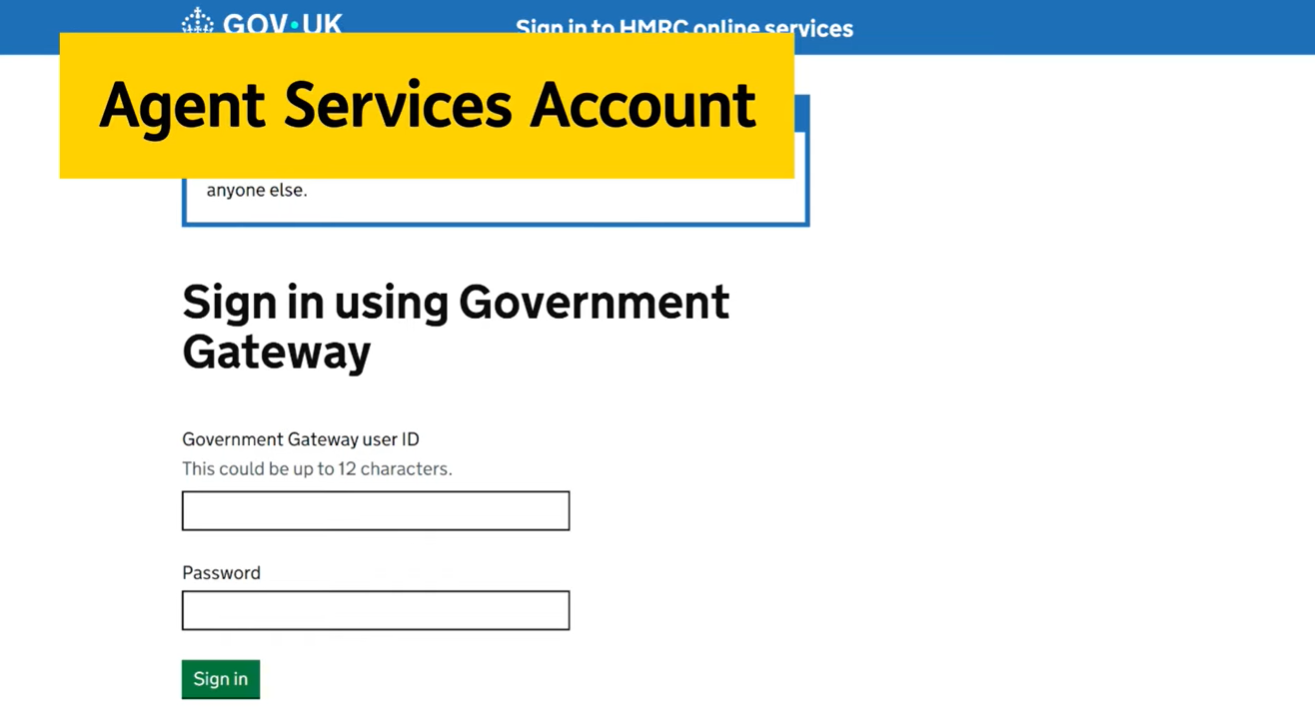
2. Select Existing Self Assessment Authorisations:
On the welcome page, select Add existing Self Assessment authorisations to this account
This option allows you to transfer existing client authorisations associated with an Online Services for Agents account to your Agent Services Account.
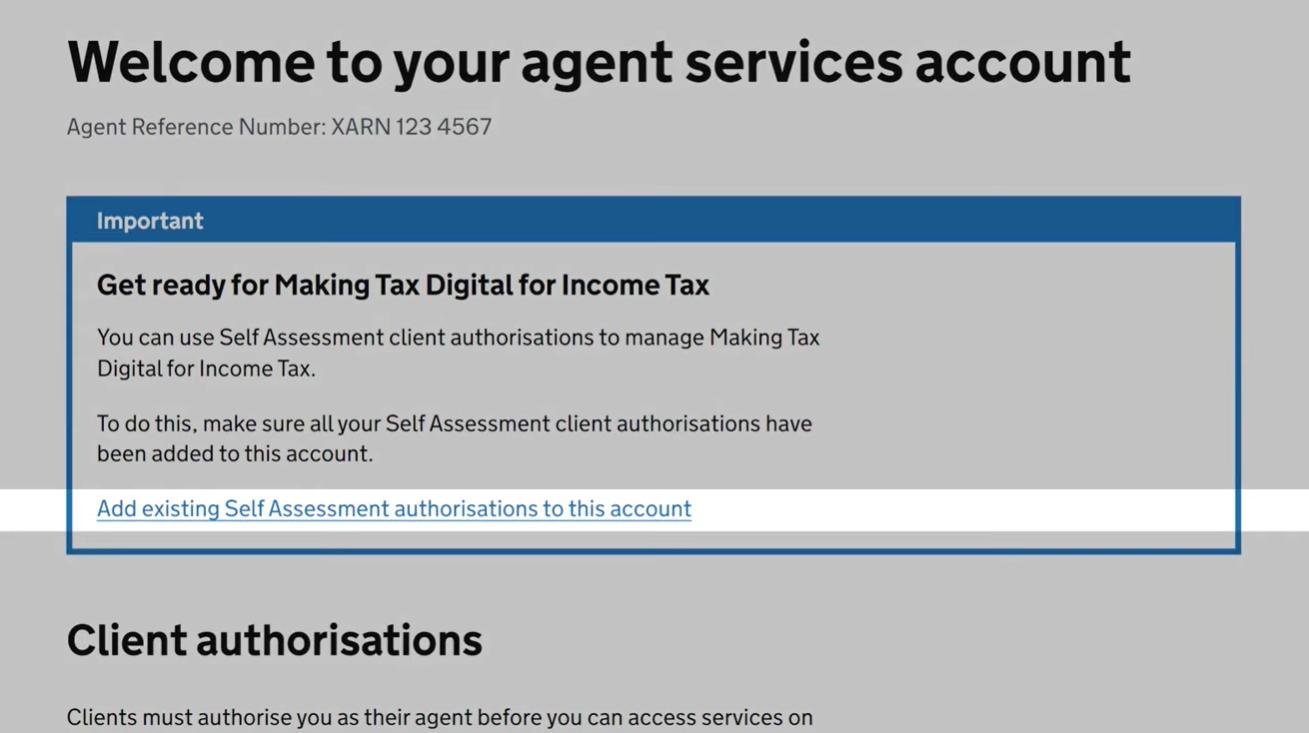
3. Review Existing Authorisations
You will see a list of client authorisations that have already been added to your Agent Services Account.
The list will include details such as:
The Agent Code used.
The date the authorisations were added.
Review the information to confirm that the expected authorisations are already linked to your account.
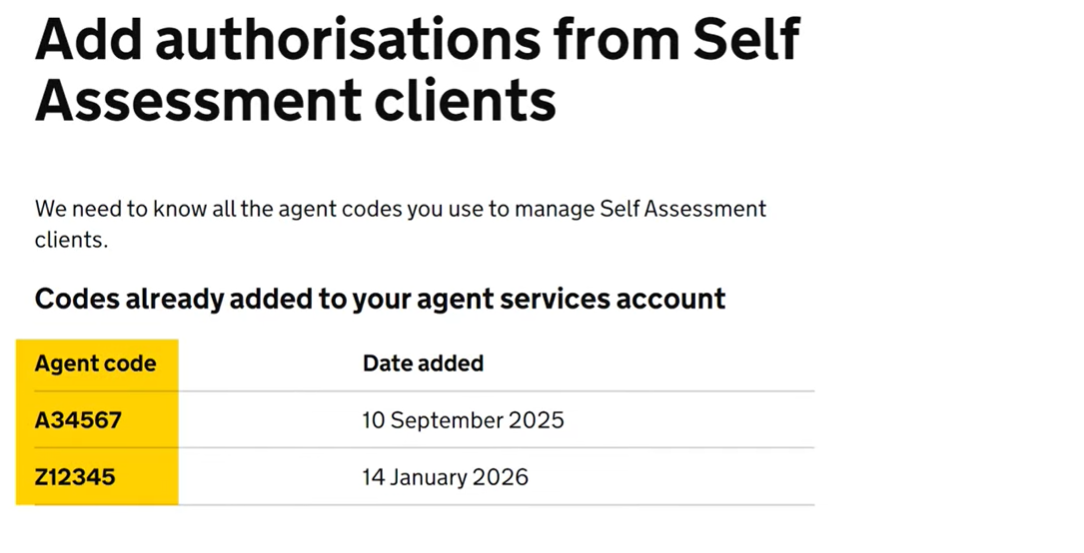
4. Add an Agent Code:
To add further client authorisations:
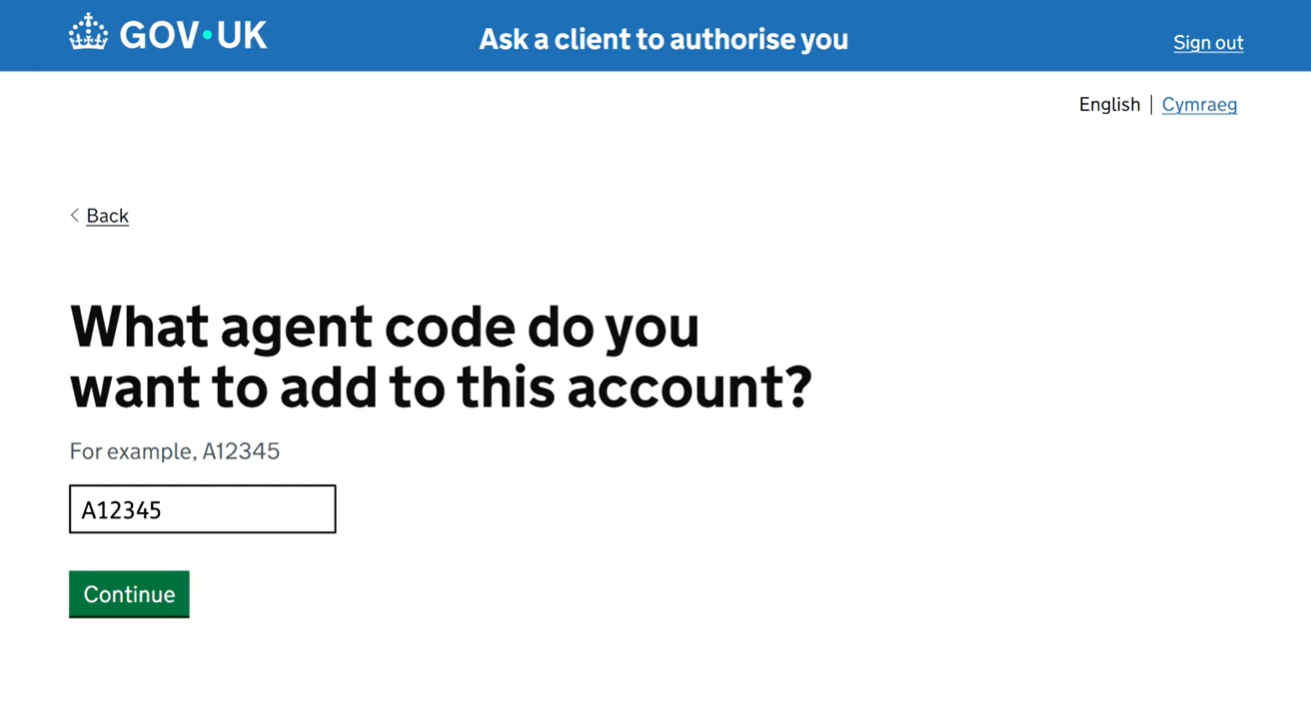
Select Add Agent Code.
Enter the Agent Code associated with the client authorisations you want to add.
Select Continue.
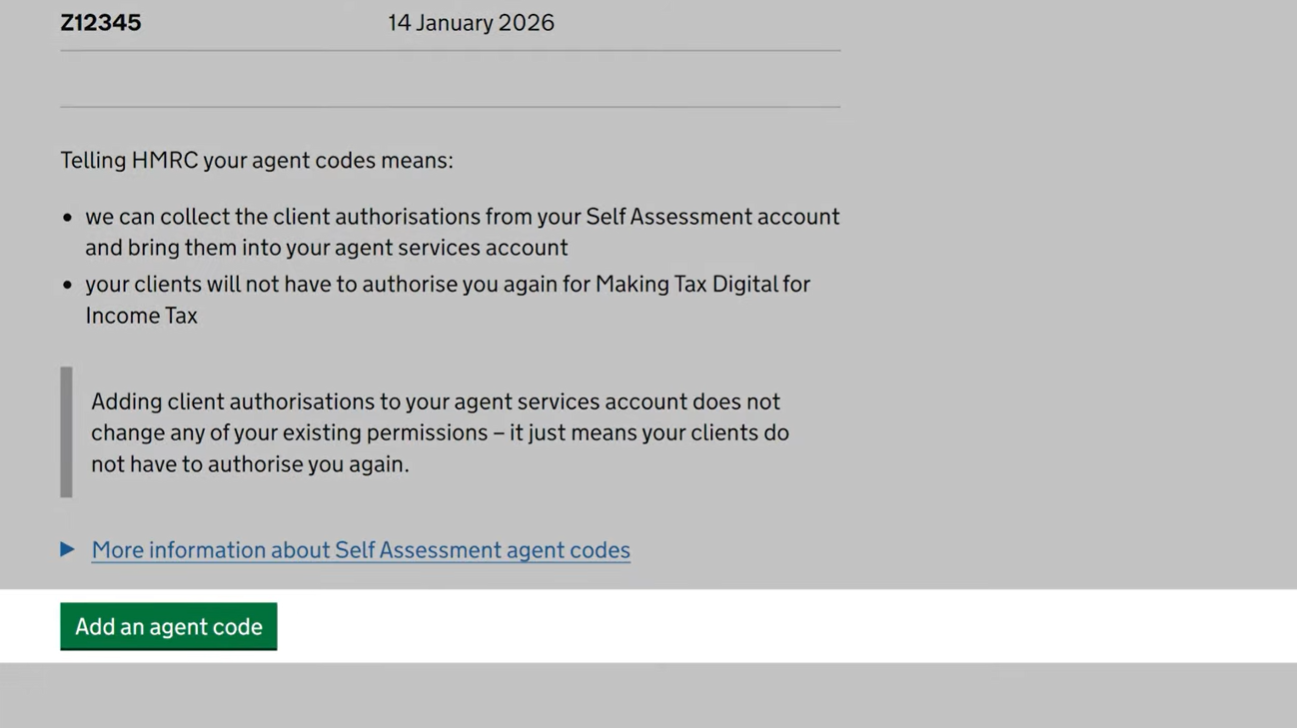
5. Sign in to Your Online Services for Agents Account
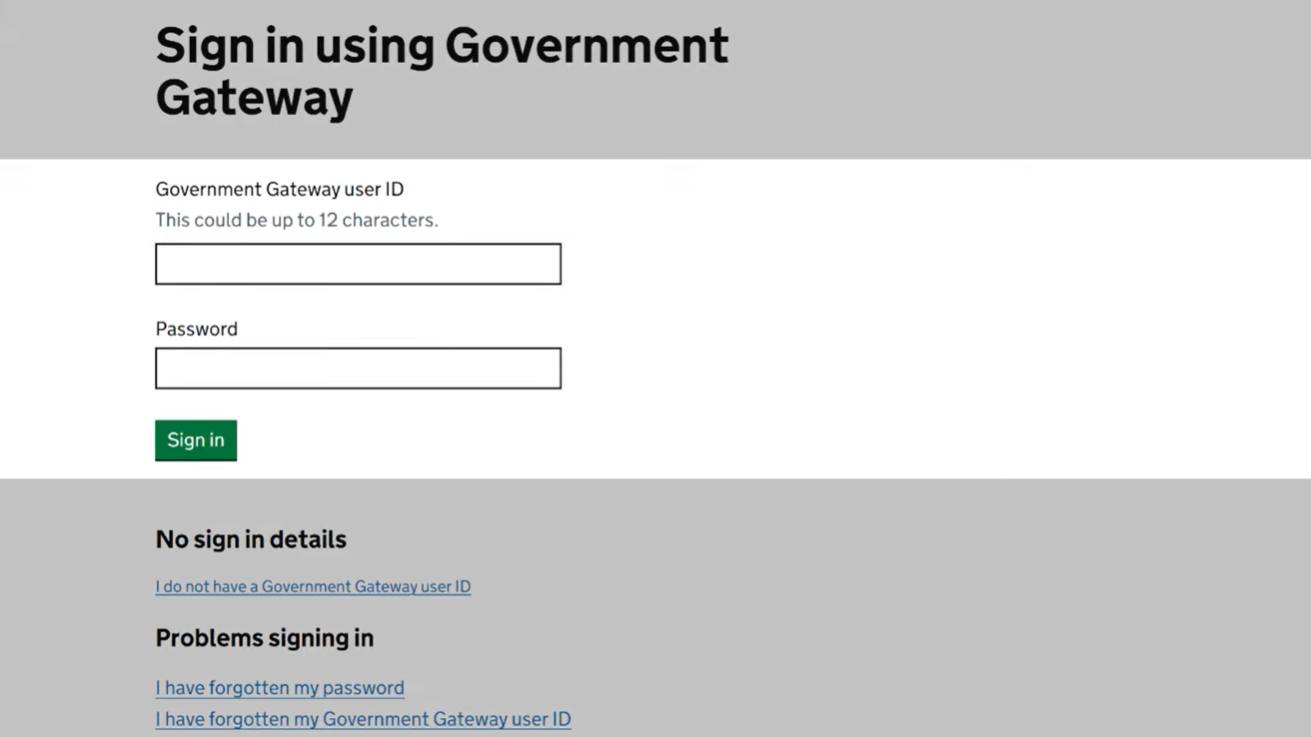
You will be asked to sign in using the Government Gateway ID associated with the Online Services for Agents account for the Agent Code you entered.
Enter the required credentials and follow the on-screen instructions to continue.
Sign in using the Government Gateway ID associated with the Online Services for Agents account for that Agent Code.
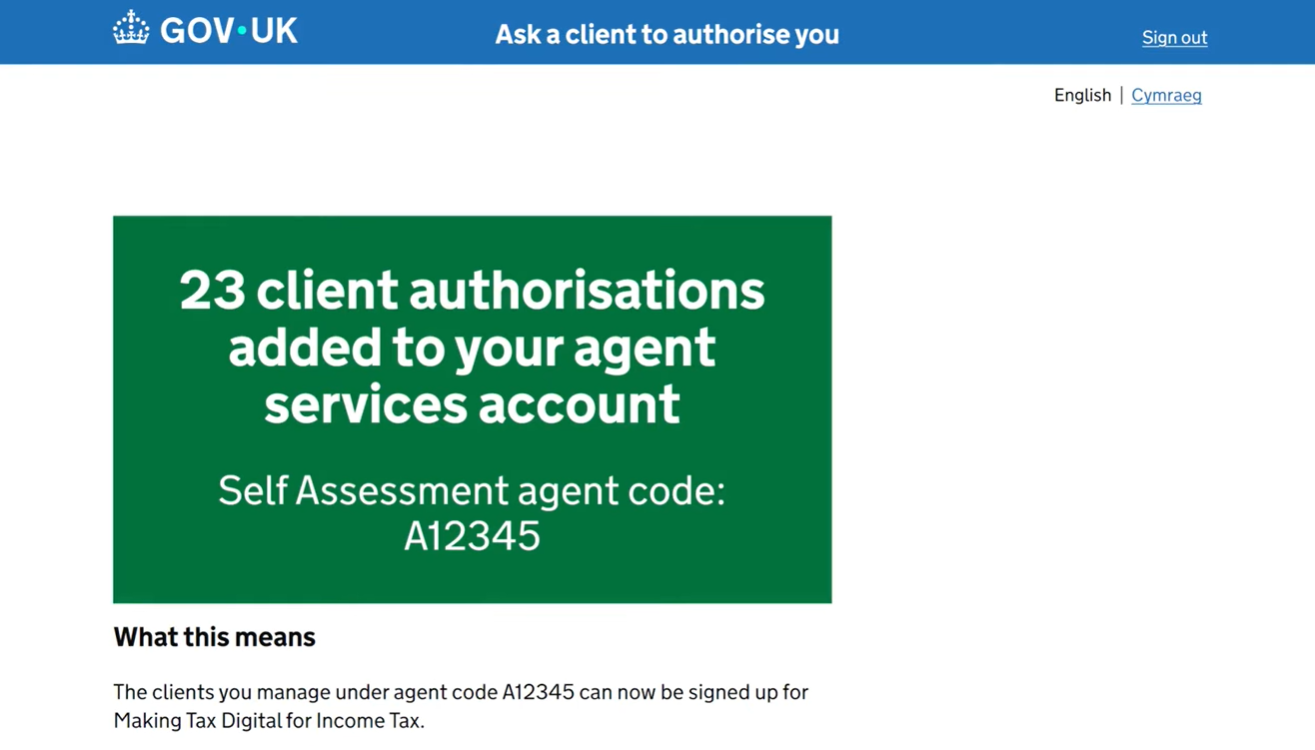
Confirmation
Once the process is complete, you will receive confirmation that the client authorisations associated with the Agent Code have been successfully added to your Agent Services Account.
You can then proceed with the next steps required to sign up your clients for Making Tax Digital for Income Tax (MTD IT) and manage their authorisations.
For more info please refer the below
https://www.youtube.com/watch?v=a6Ewg6NR0hU&t=16s
Related Articles:
MTD IT : Client Authorisation workflow
MTD IT : Bulk Authorisation
MTD IT : How to unauthorise/revoke HMRC Authorisation for a Client