In order to publish your Invoices from Capium 365 into your Bookkeeping module, follow the navigation below:
Navigation: Capium 365 > [Specific Client] > Sales > invoices
You can click here to go to that navigation.
For Purchase Invoices and Credit Notes, you can also follow the below steps:
1. Firstly, you have to approve any invoices with the thumb icon:
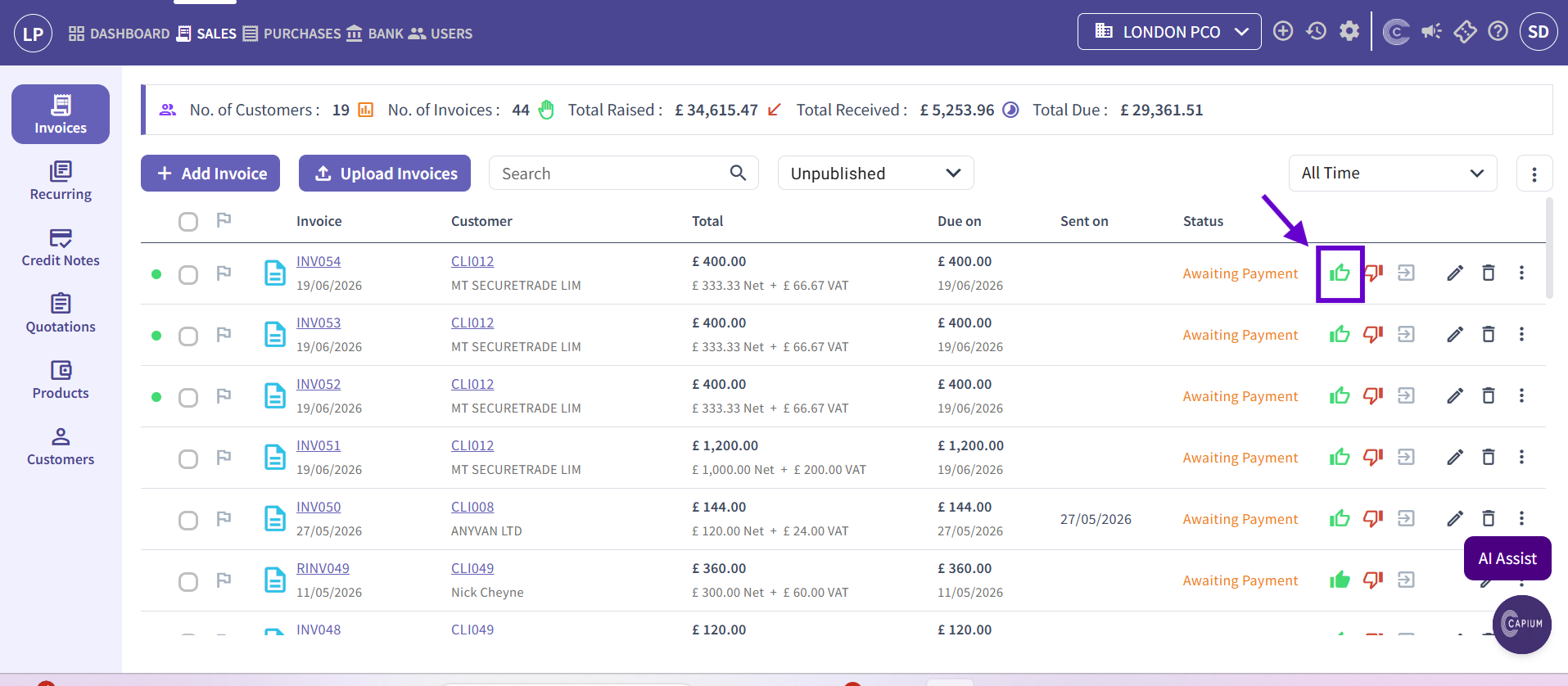
2. After clicking this icon, a pop-up will appear:
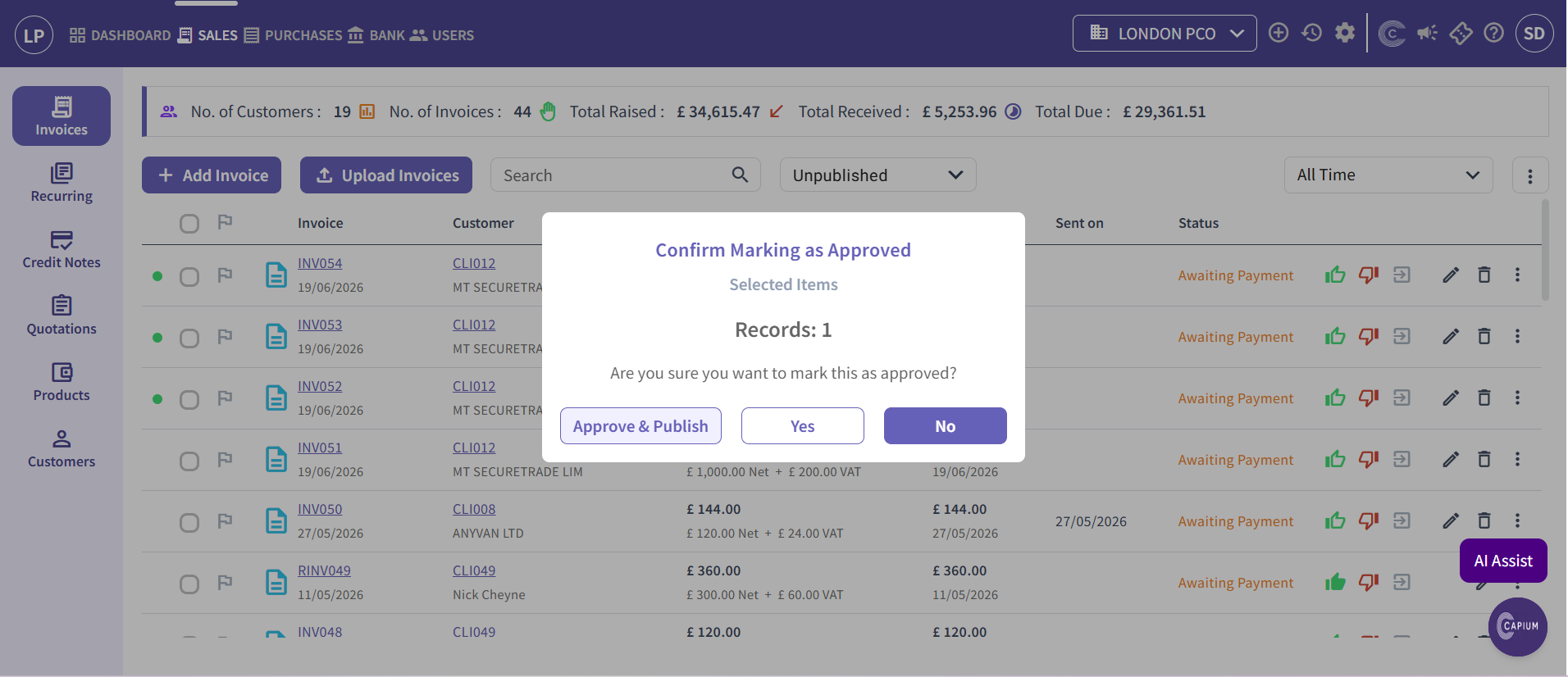
a) In this pop-up you can either press 'Yes', or you can press 'Approve & Publish', which will immediately publish it into your Bookkeeping module.
3). If you only clicked 'Yes', you still have an opportunity to publish to Bookkeeping with this icon:
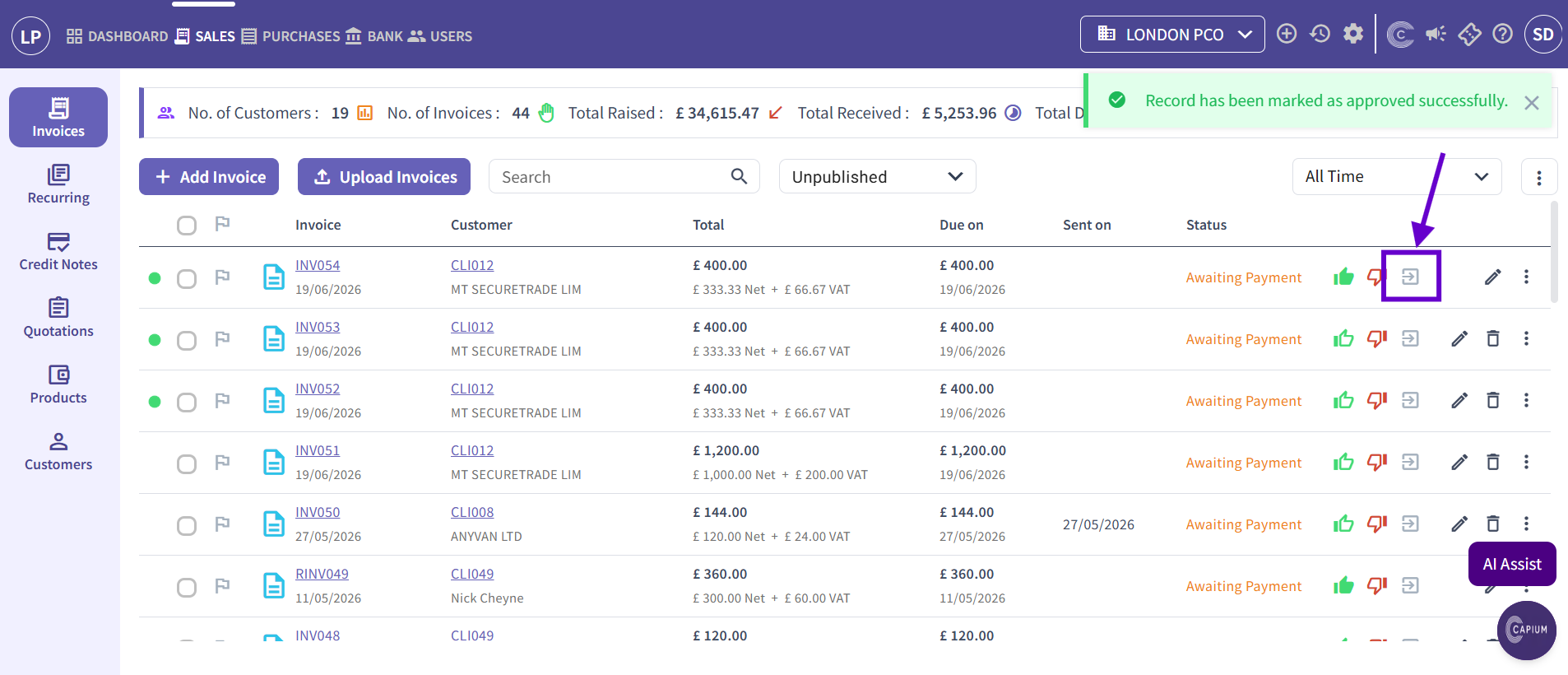
4) To unpublish the invoice, you can just click on the same icon again.
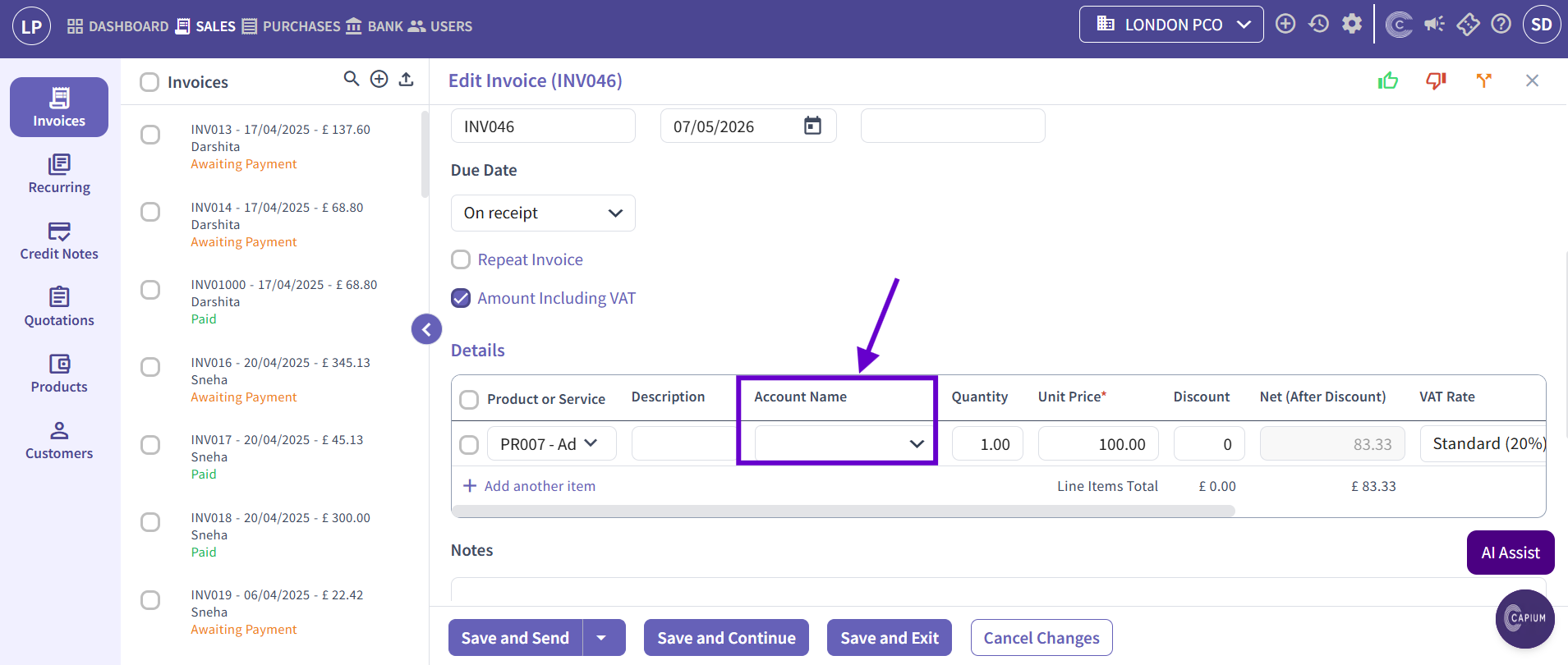
Note: if you are unable to approve a transaction, double check that in the details of the invoice, an account name has been designated to the product or service.