
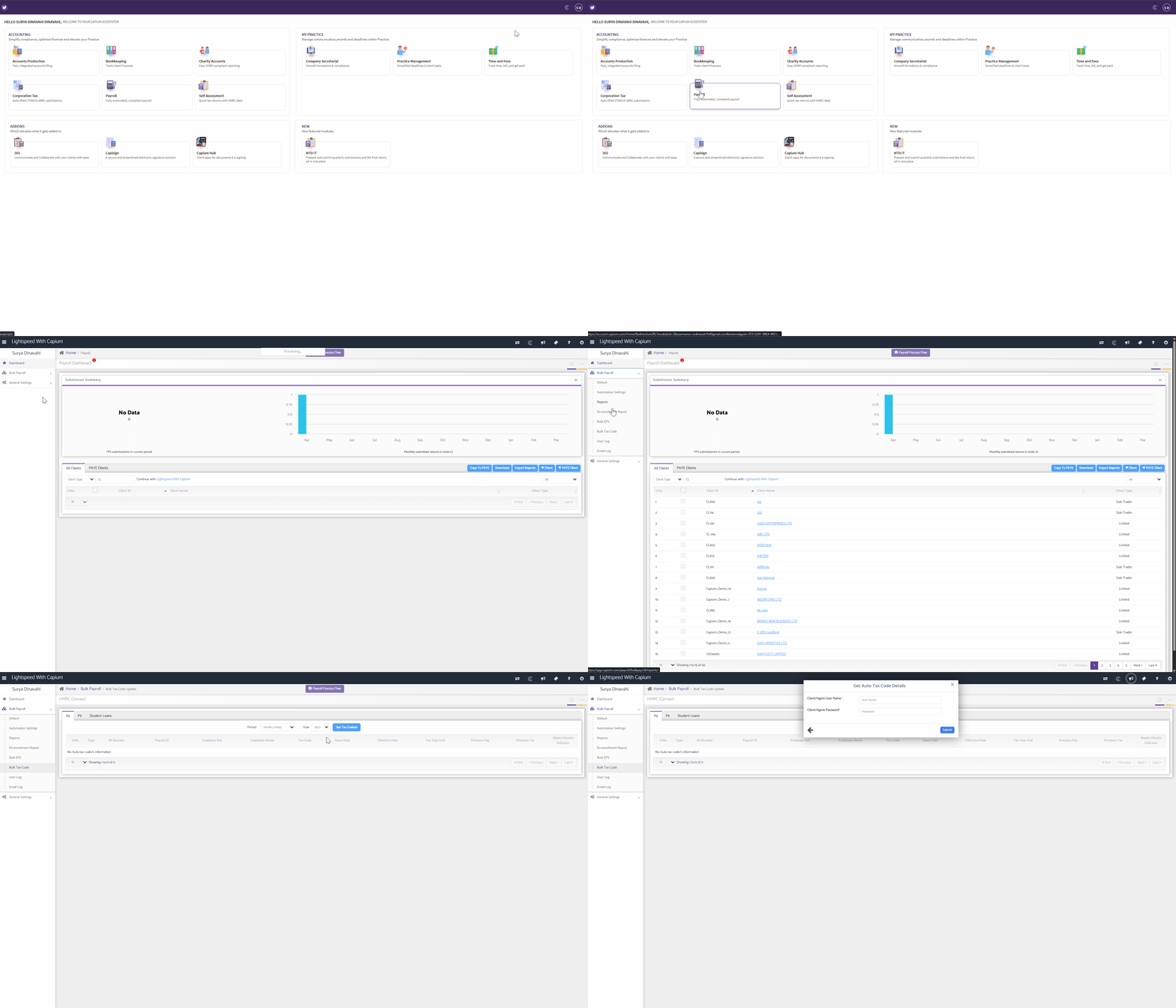
 Navigation: Payroll > Bulk Payroll > Bulk Tax Codes
The Bulk Tax Codes feature in Capium Payroll allows you to retrieve P6, P9 and student loan data from HMRC across all employers in your Agent Services Account in one step, rather than going into each employer individually.
Fetching Bulk Tax Codes
- From the Payroll module, click on Bulk Payroll in the left-hand side menu.
- Click on Bulk Tax Codes.
- Click the Get Tax Codes button in the centre of your screen.
- Enter your Agent Services Account username and password when prompted.
- Capium will then automatically fetch the tax codes across all employers listed in your Agent Services Account.
- Once retrieved, the view will display all employees with the latest tax code changes.
What Data Does This Fetch?
Once authenticated, Capium pulls through the following from HMRC:
- P6 data - in-year tax code change notifications, we fetch the issue date and effective date for the tax code.
- P9 data - annual tax code notices issued ahead of each new tax year, we fetch the issue date and effective date for the tax code.
- Student loan data - start and stop notices for student loan deductions, we fetch the issue date and effective date for the student loan.
Please note each of the above field requires you to input your credentials again.
Access and Permissions
This feature is available to Super Accountant and Accountant users only.
Because this view shows all employers and employees across your Agent Services Account, we recommend being mindful of who has access.
If you would prefer your staff not to see this consolidated view, we suggest not activating this feature and instead retrieving tax code information employer by employer within each record.