Template upload for Self Employment
You need to download the CSV template and populate the relevant information into the file and reupload in to the system as shown in the screenshots below.
Navigation : MTD IT > Submissions > Client specific > Select view & Submit > Digital records > Template
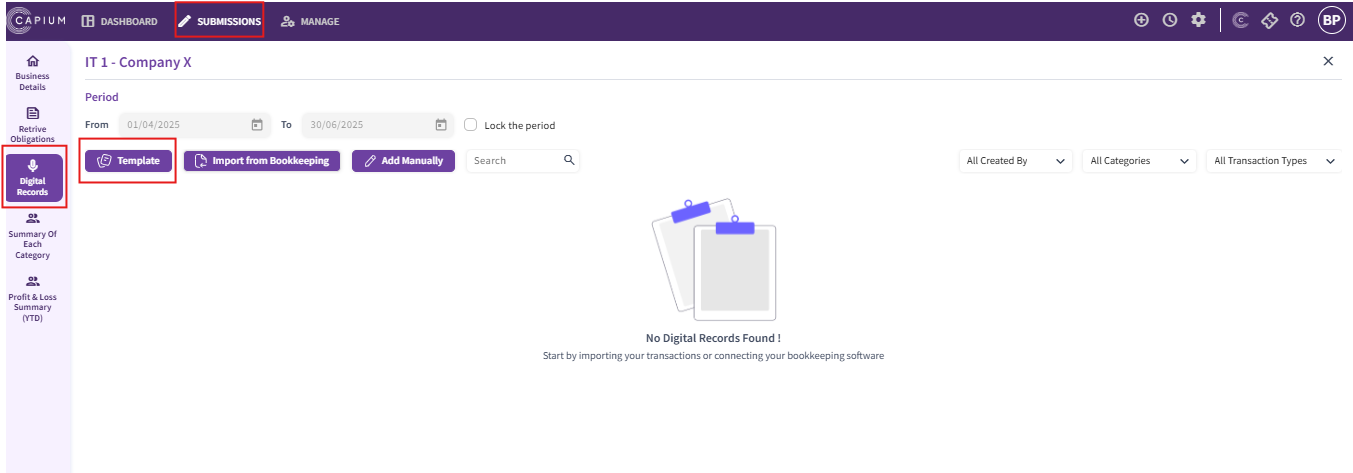
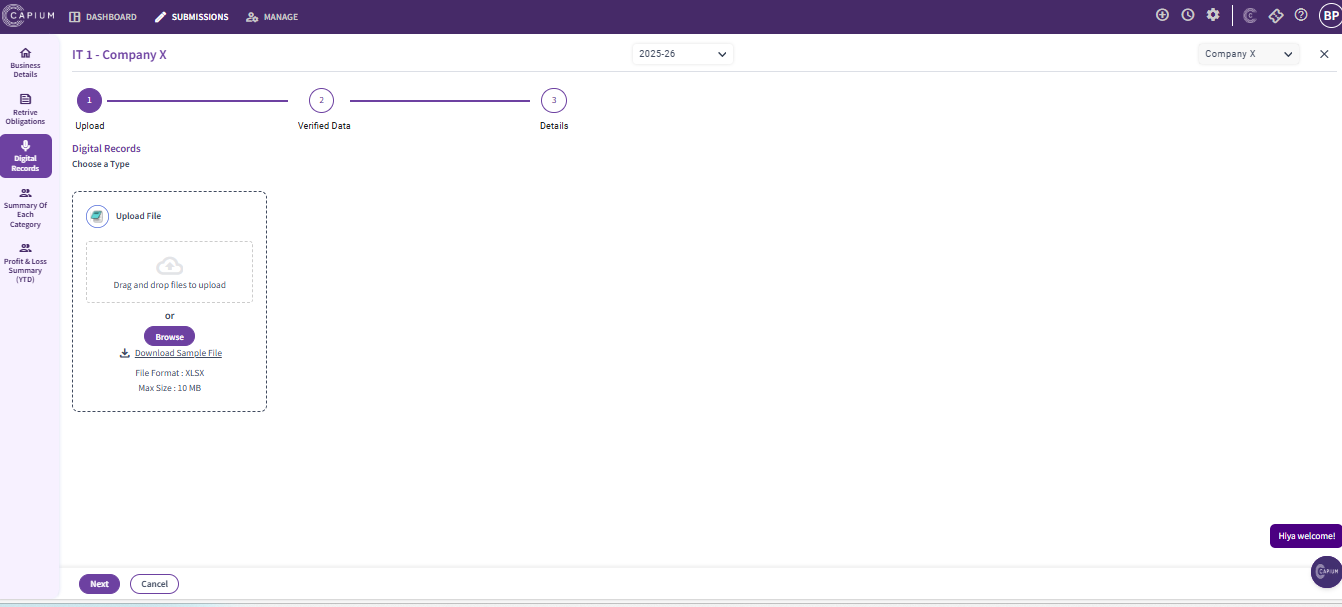
- Download the sample file
- Populate all relevant fields in the file
- Save the file

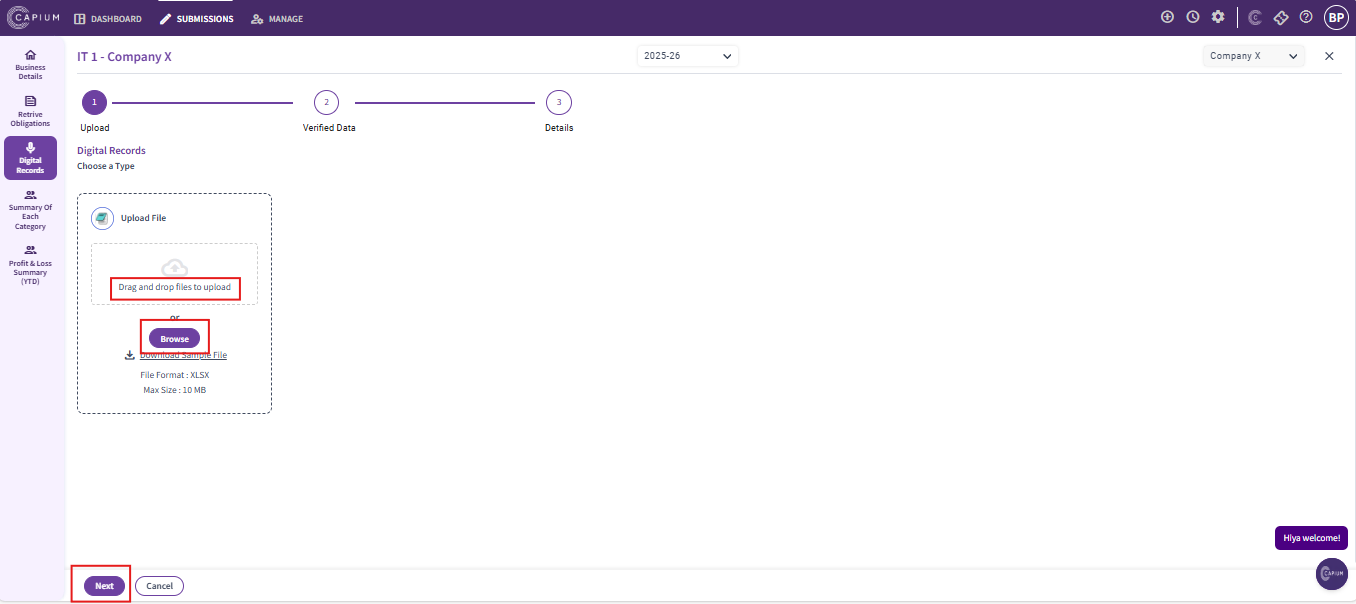
Now reupload the CSV template into the system by selecting browse or use drag and drop files option to upload the file
Once the file is selected, click ‘Next’ at the bottom of the page.
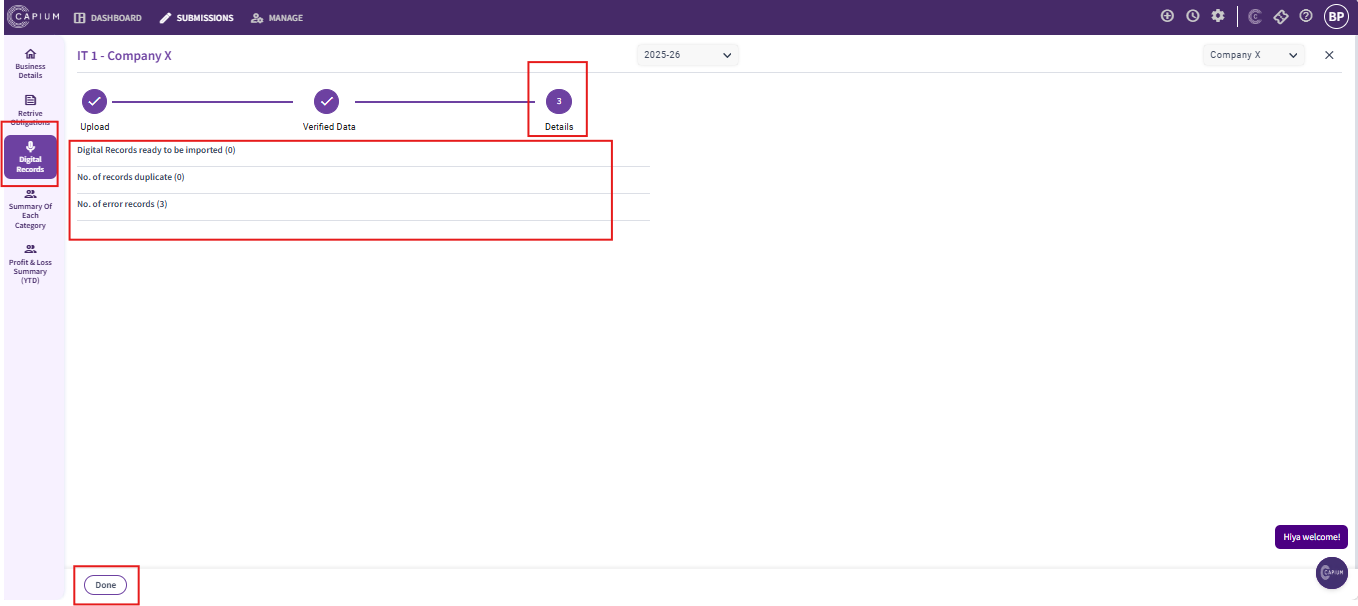
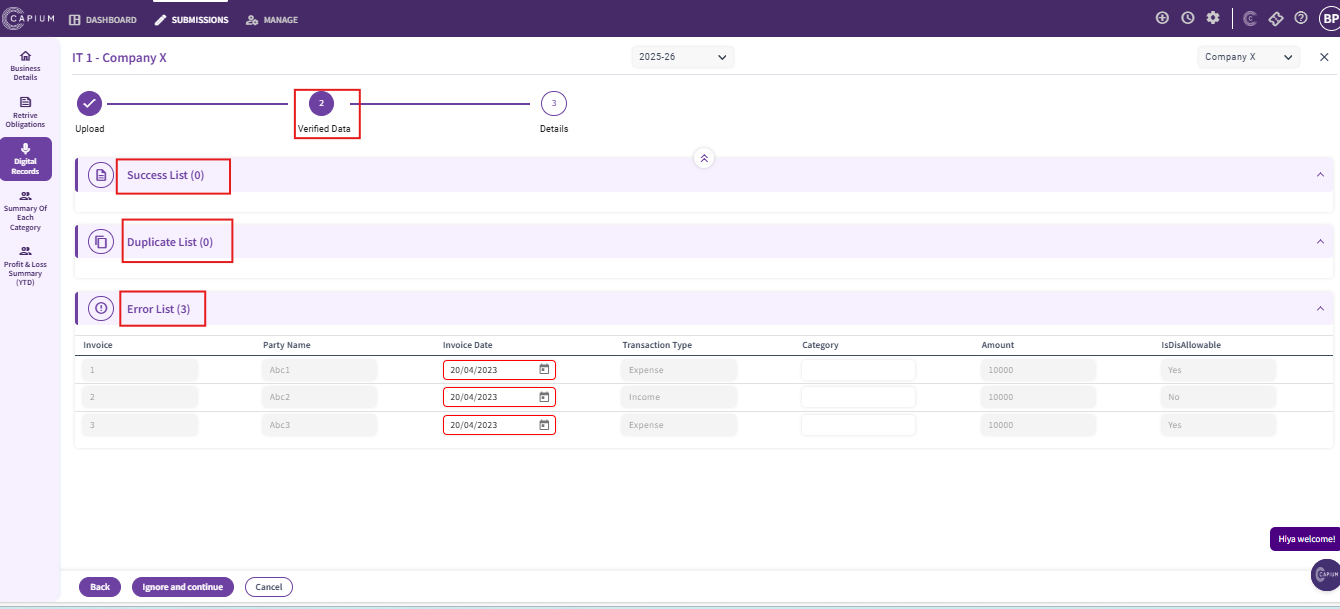
After you upload the file, the system will display
1. Success list will show the records that have been successfully imported
2. Duplicates list will highlight any duplicate entries in the file
3. Error list will display records that could not be imported due to errors with the reason
As shown in the screenshots below.
Once data is verified all the transactions would be imported and details would pop up as shown below and select the option ‘Done’.