
Revised Accounts report submission to Companies House:
Welcome to our Guide on how to make submission of revised accounts to Companies House! This guide will walk you through the essential steps and best practices to ensure a smooth setup and successful deployment.
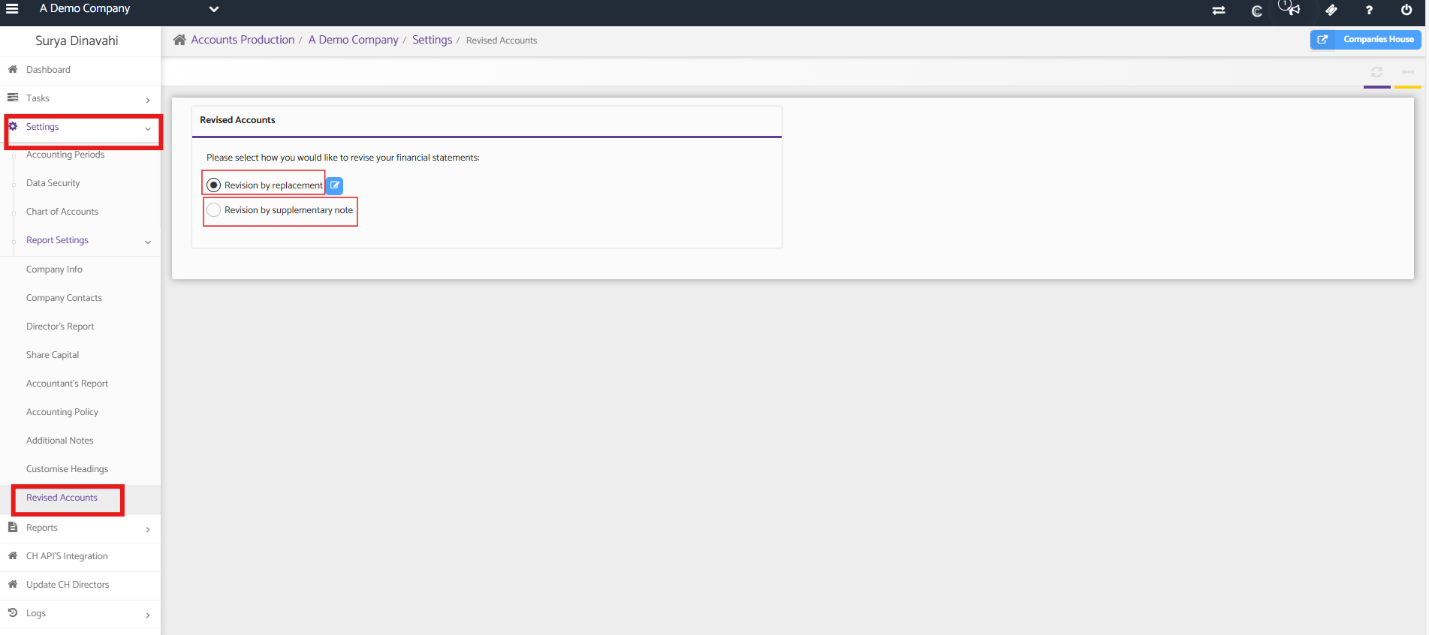
You can revise your accounts in two ways: Revision by replacement or Revision by supplementary note.
Navigation:
Accounts Production > Client specific > Settings > Revised accounts.
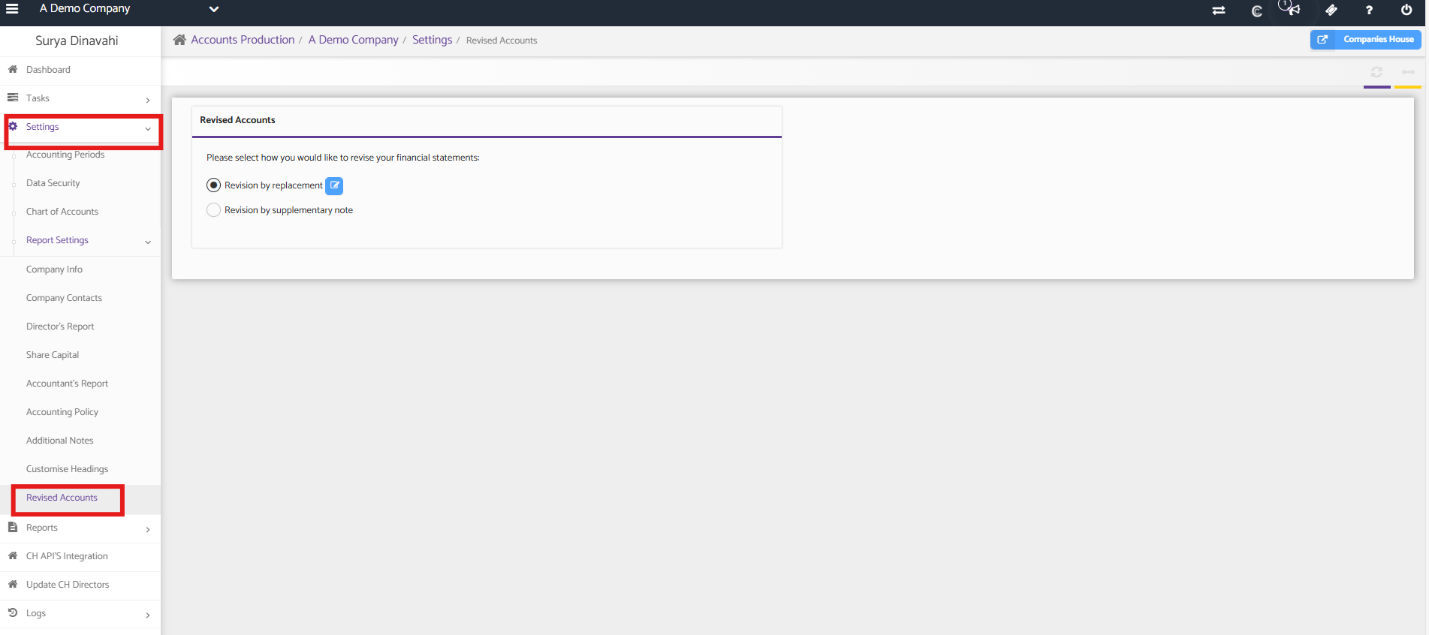
As the first step, You may update the Trial balances as per your requirement and under settings you go into company info and then update all the information and then update company contacts, Directors report, Share Capital and Accountant’s report and the end is the revised accounts.
Once you have reviewed and made changes to the accounts and select the option whether it is Revision by replacement or Revision by Supplementary notes.
*Revision by Replacement: If you need to replace the original accounts with revised filleted accounts, select the option for Revision by Replacement.
Revision by Supplementary Note: If you need to add supplementary notes to the original accounts, select the option for Revision by Supplementary Note.
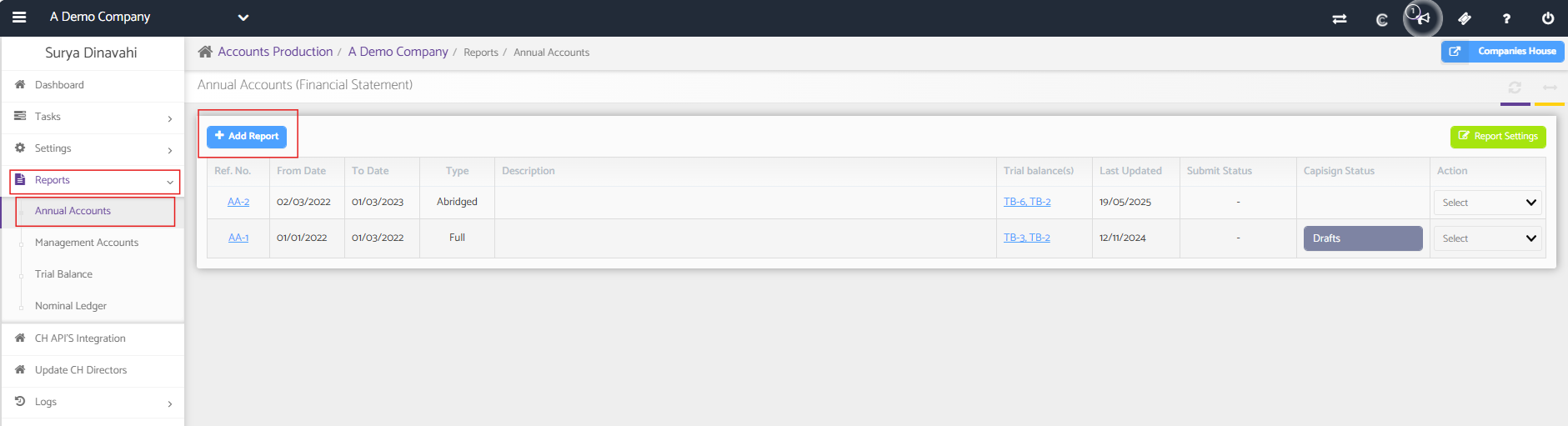
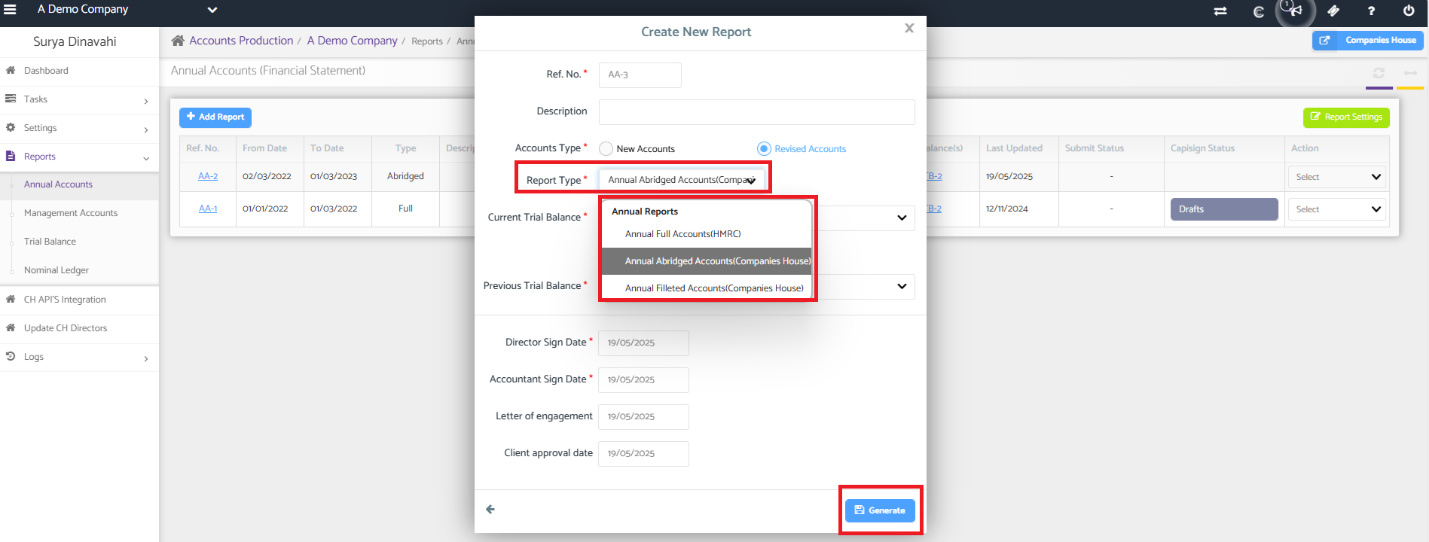
Now move on to Reports and Annual Accounts, click on ‘+ Add report’ and select the revised accounts as shown below.
Navigation:
Accounts Production > Client Specific > Reports > Annual Accounts > + Add report
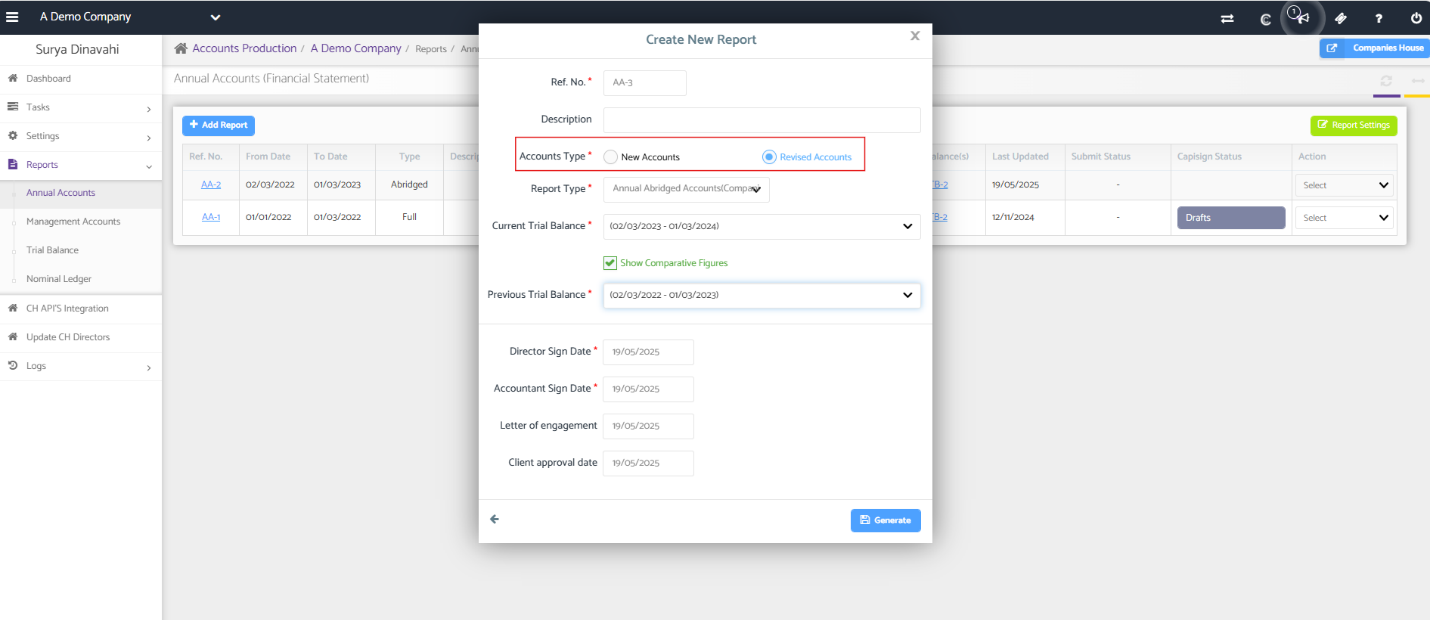
Select the Annual accounts and choose the report type whether it is Full accounts, Abridged accounts or Filleted accounts and click on the generate tab as shown in the screenshot below.
Once the Accounts is generated you will find the revised report and save the reports.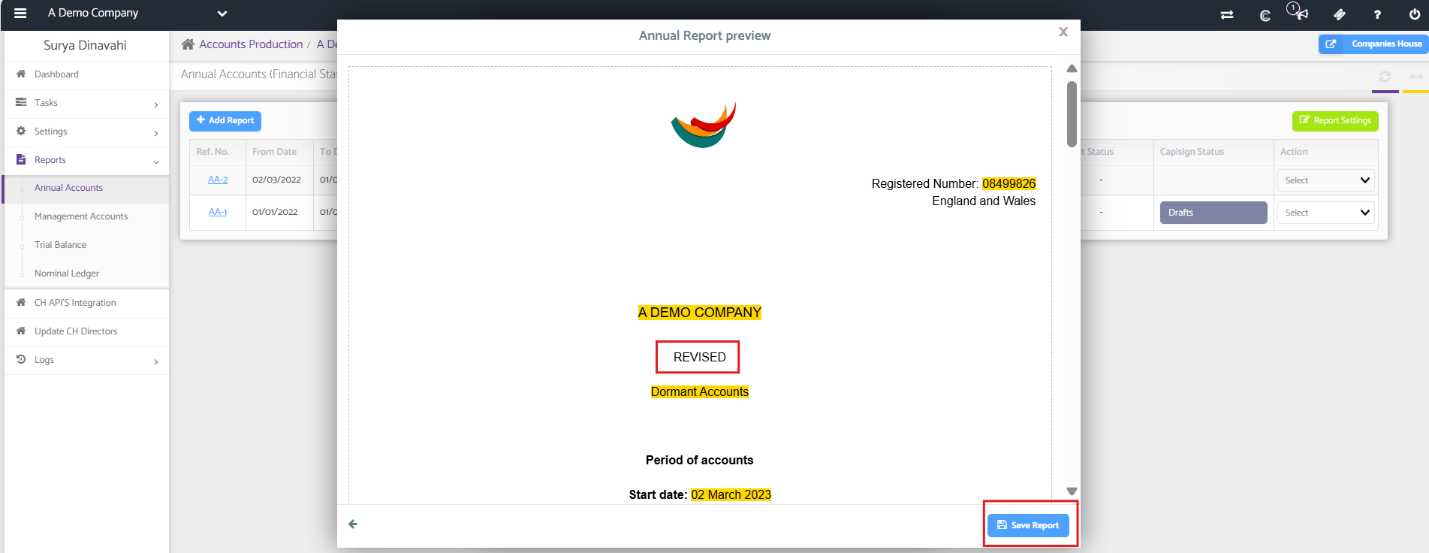
Once you save, move on to the Tasks and make your submissions of your revised accounts directly to Companies House.
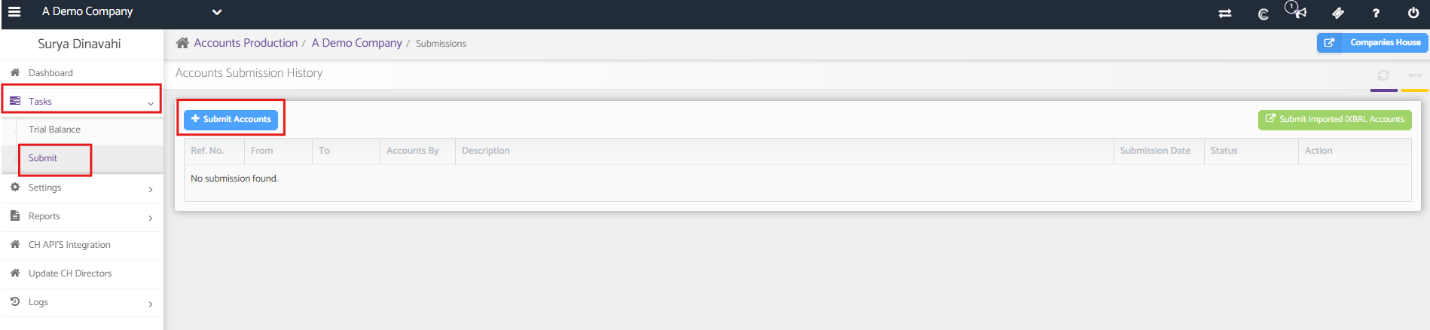
You can follow the above steps to submit revised accounts successfully.