
This usually happens when the accounting code has been deactivated or archived.
Watch Video Guide:
Click here to watch how to make nominal codes active / inactive
Step-by-Step Guide:
To make the Nominal Code active again:
- Go to Accounts Production > Client > Settings > Chart of Accounts.
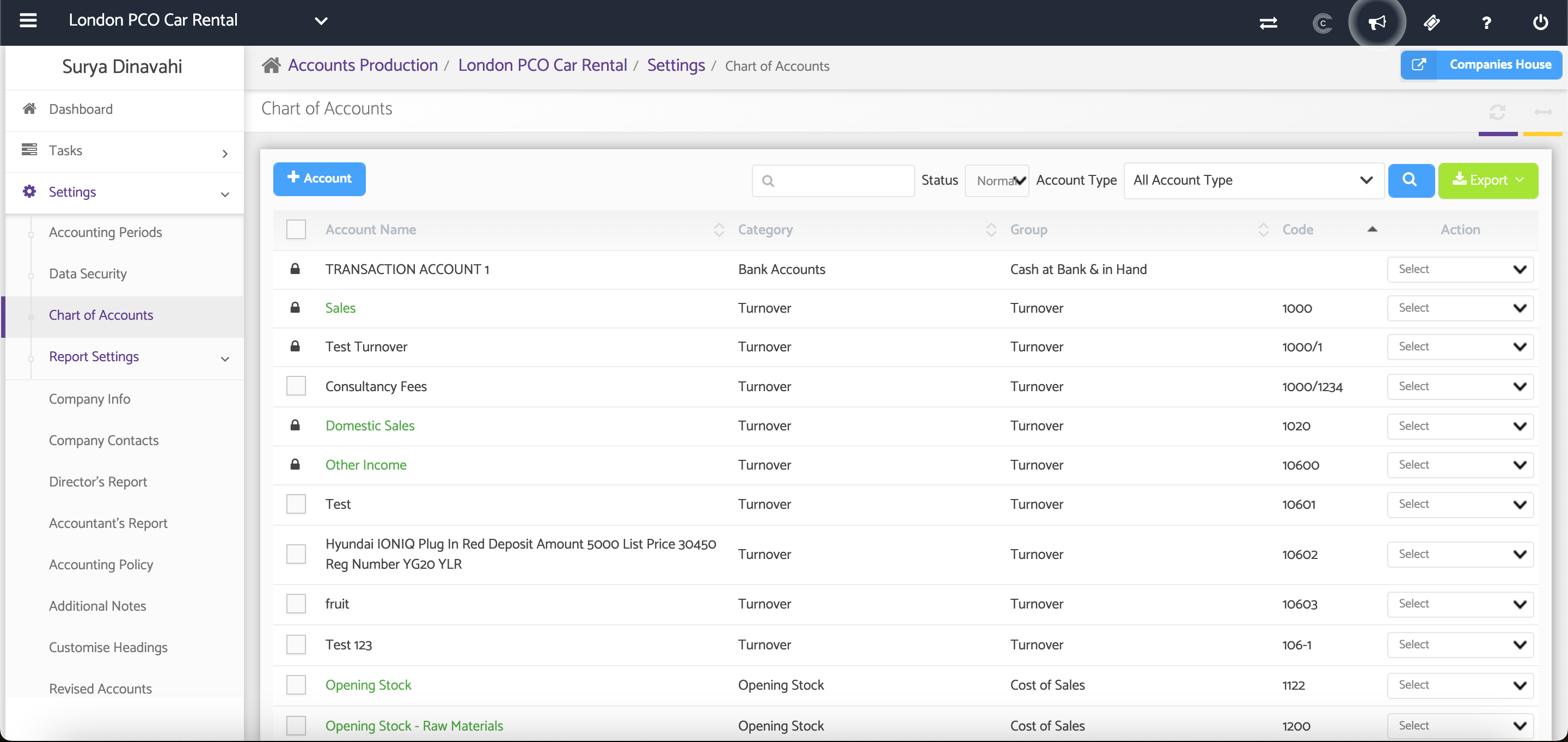
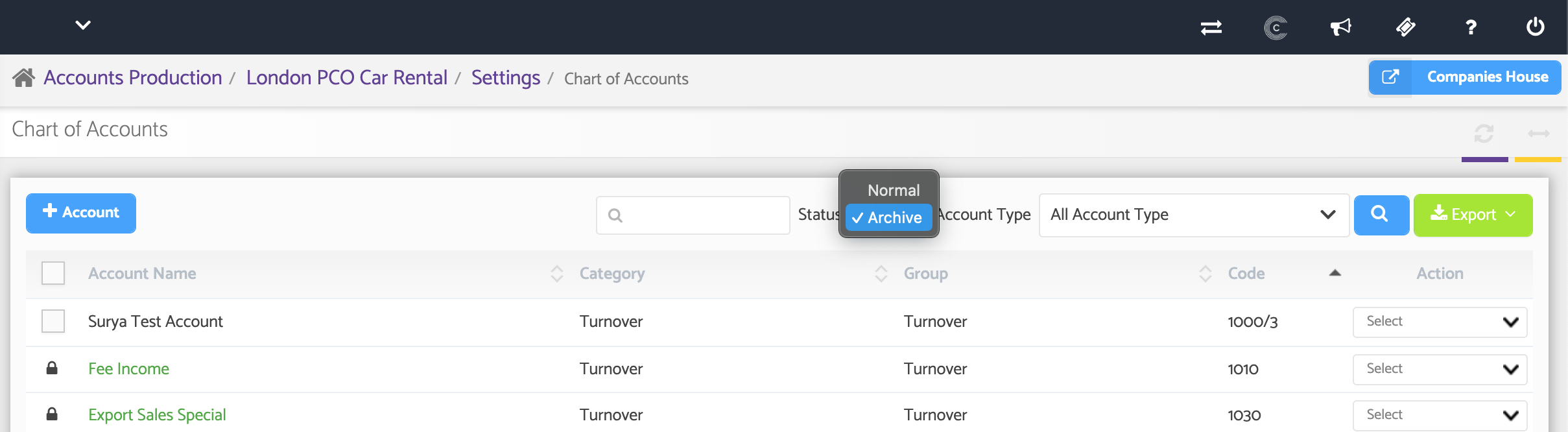
2. Filter the Status by Archived.
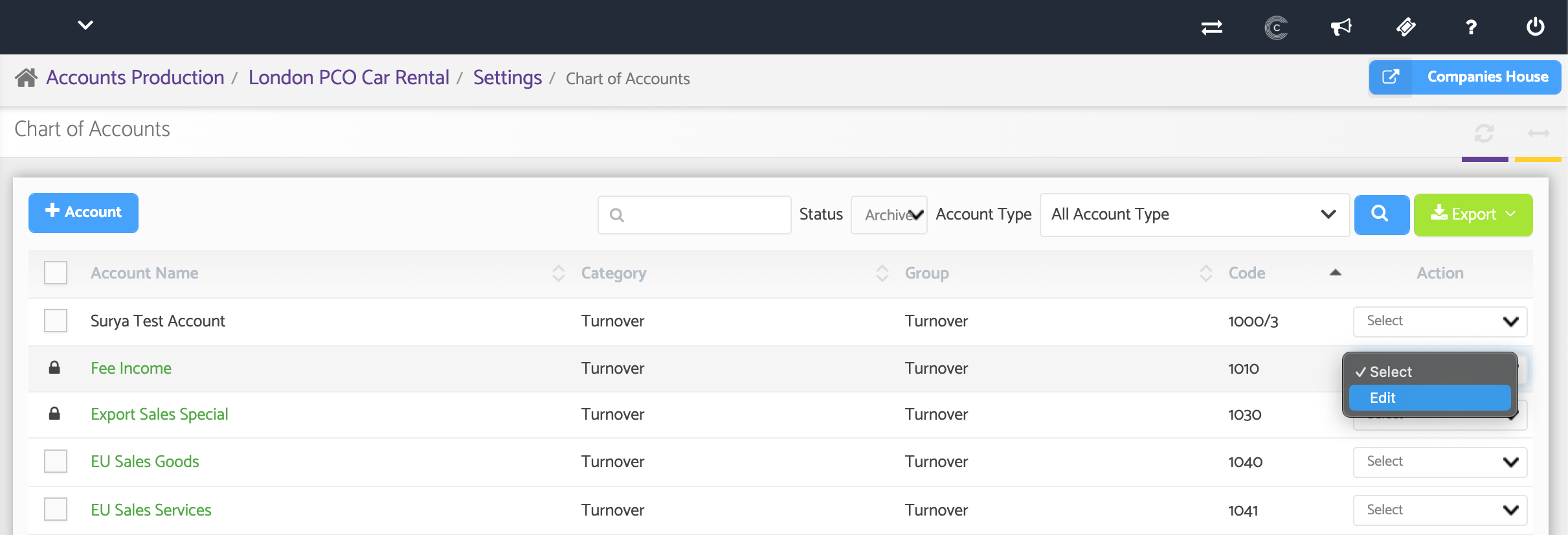
3. Find the relevant account and select Edit from the Action drop-down menu.
4. Activate the account and save your changes.
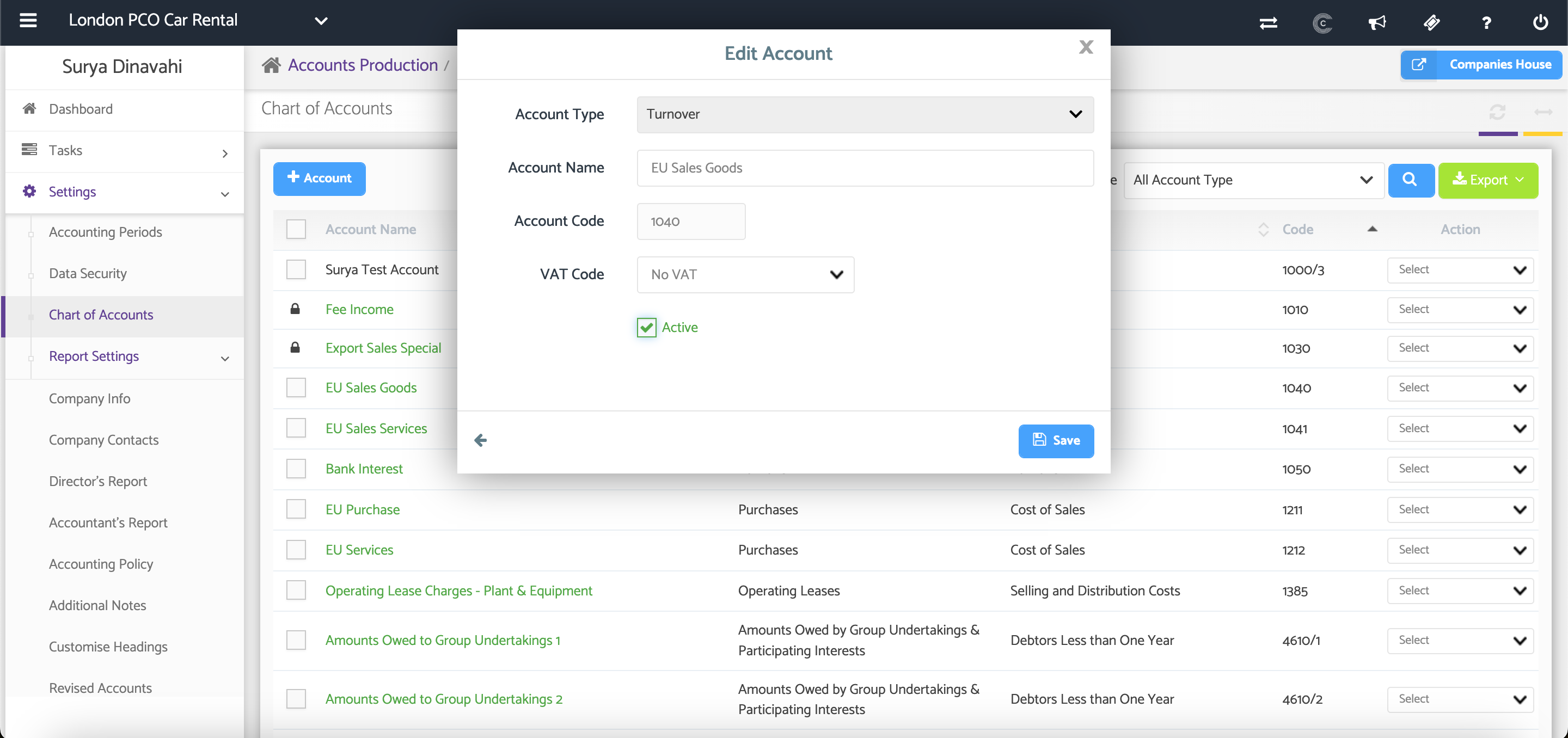
Once activated, the Nominal Code should be available again when updating the Trial Balance.
Additional Help
Need Help?
If you need assistance or guidance, please contact your onboarding manager or email Support@capium.com, or call us on 020 3322 5578.