
Overview
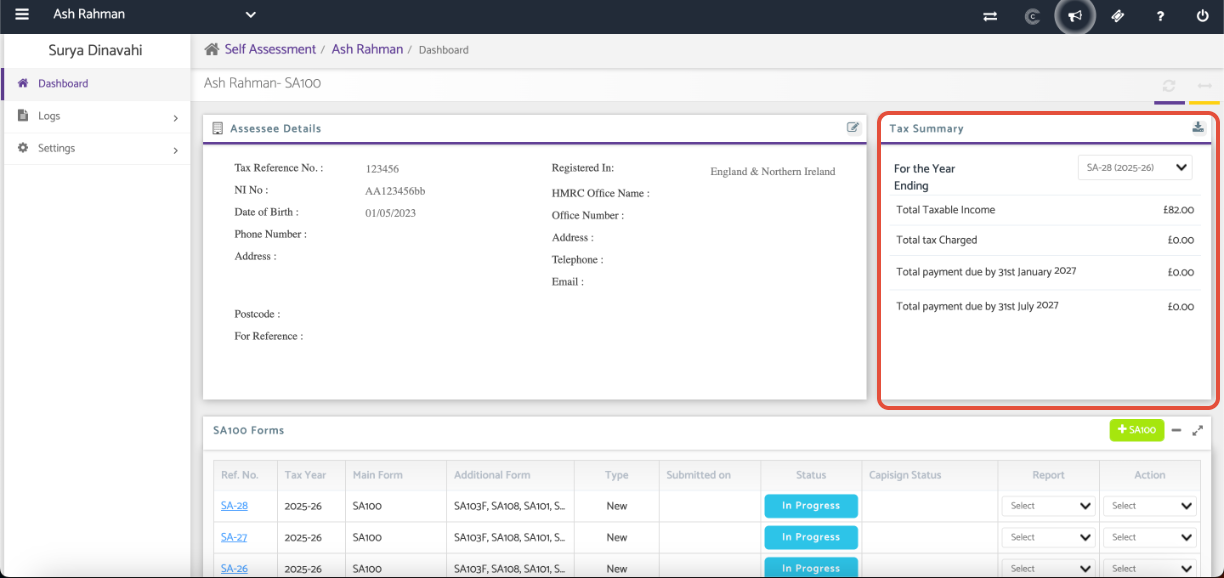
The Tax Summary section provides an overview of the taxpayer's tax position for a selected tax year. It displays key tax figures, including taxable income, tax charged, and payment amounts due.
Navigation
Self Assessment > SA100 > Client Specific > Tax Summary
Review the Tax Summary
The Tax Summary displays the following information for the selected year:
Total Taxable Income
Total Tax Charged
Total Payment Due by 31 January
Total Payment Due by 31 July
Note: The payment due dates displayed will correspond to the selected tax year.
Additional Help
Need Help?
If you need assistance or guidance, please contact your onboarding manager or email Support@capium.com, or call us on 020 3322 5578.