
Overview
The Attachments section allows you to specify whether the company Accounts and Tax Computations will be submitted with the CT600 return. If these documents are not being attached, you must provide a reason before saving.
Navigation
Corporate Tax > Select Client > Tasks > CT600 Returns > Attachments
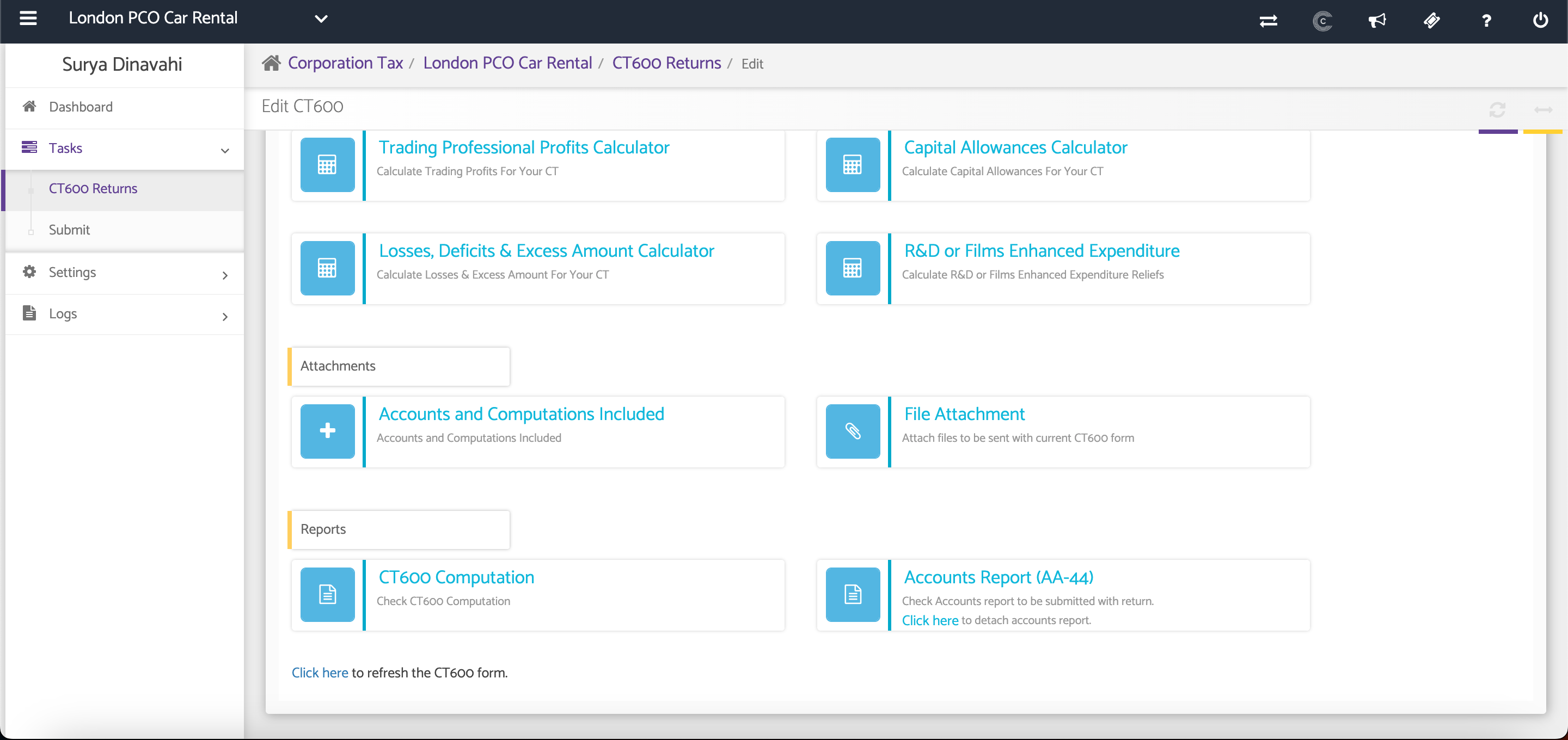
Select to Include Accounts and Computations
Tick the appropriate checkbox to indicate whether the Annual Accounts and Tax Computations will be submitted with the CT600 return.
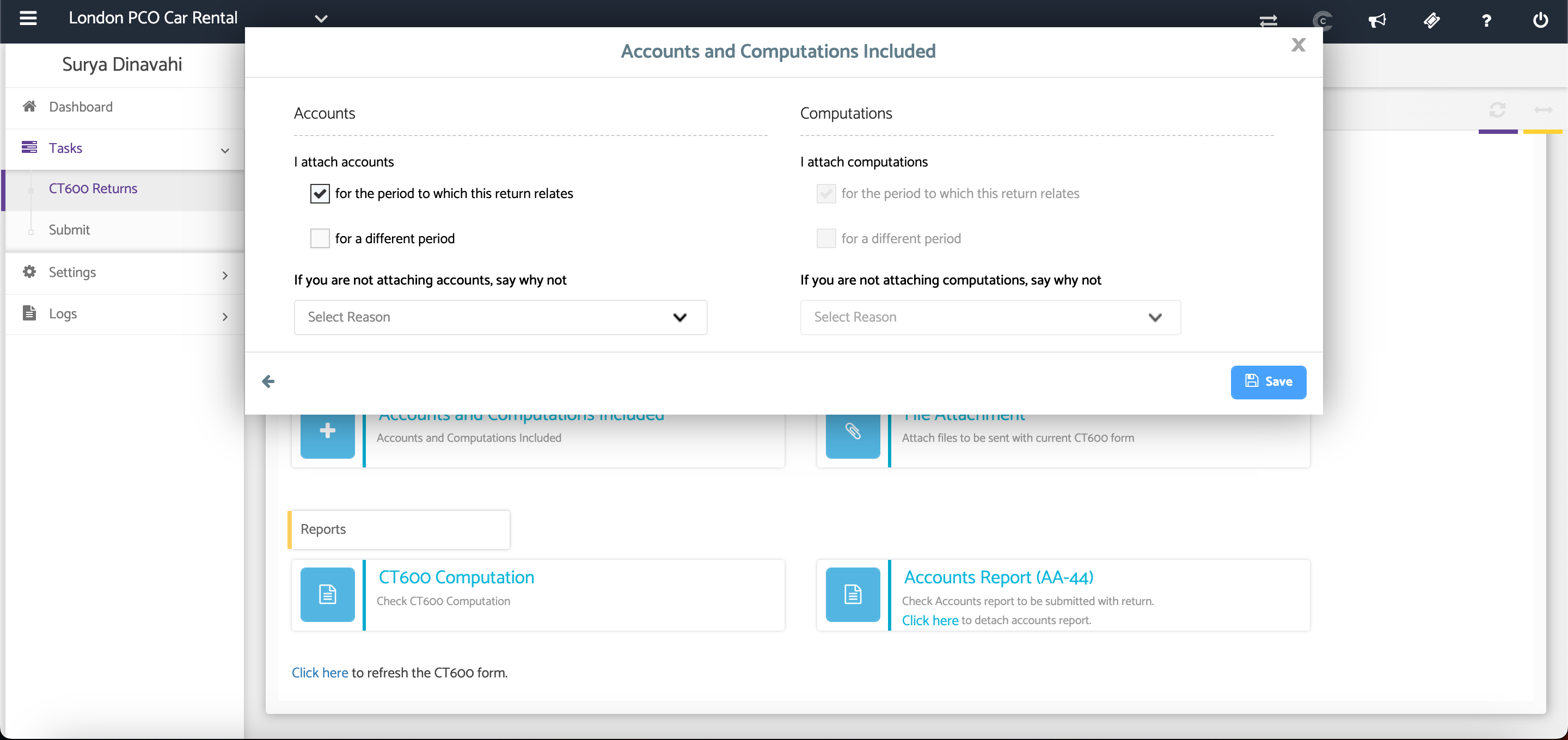
If the Accounts or Tax Computations are not being attached, leave the relevant checkbox unticked and select the reason from the drop-down list.
Once completed, click Save to apply your changes.
Additional Help
Need Help?
If you need assistance or guidance, please contact your onboarding manager or email Support@capium.com, or call us on 020 3322 5578.