
Overview
The CT600 Computation section displays the company's tax computation, showing how the accounting profit has been adjusted to calculate the taxable profit. This computation forms part of the CT600 submission and is included as an attachment when filing with HMRC.
Navigation
Corporate Tax > Select Client > Tasks > Edit Return > CT600 Returns > CT600 Computation
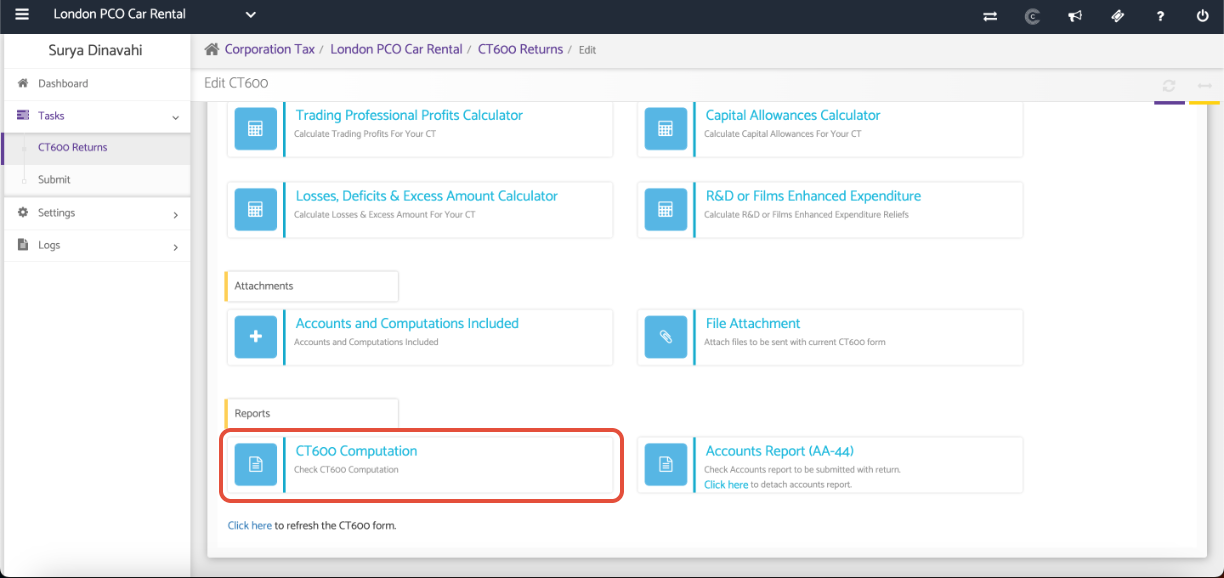
Open the CT600 Computation
The computation displays the tax adjustments made to the accounting profit, including non-deductible expenses, non-taxable income, capital allowances, and other tax adjustments.
Review the computation to ensure all figures and adjustments are correct.
If any changes are required, update the relevant sections of the CT600 before proceeding.
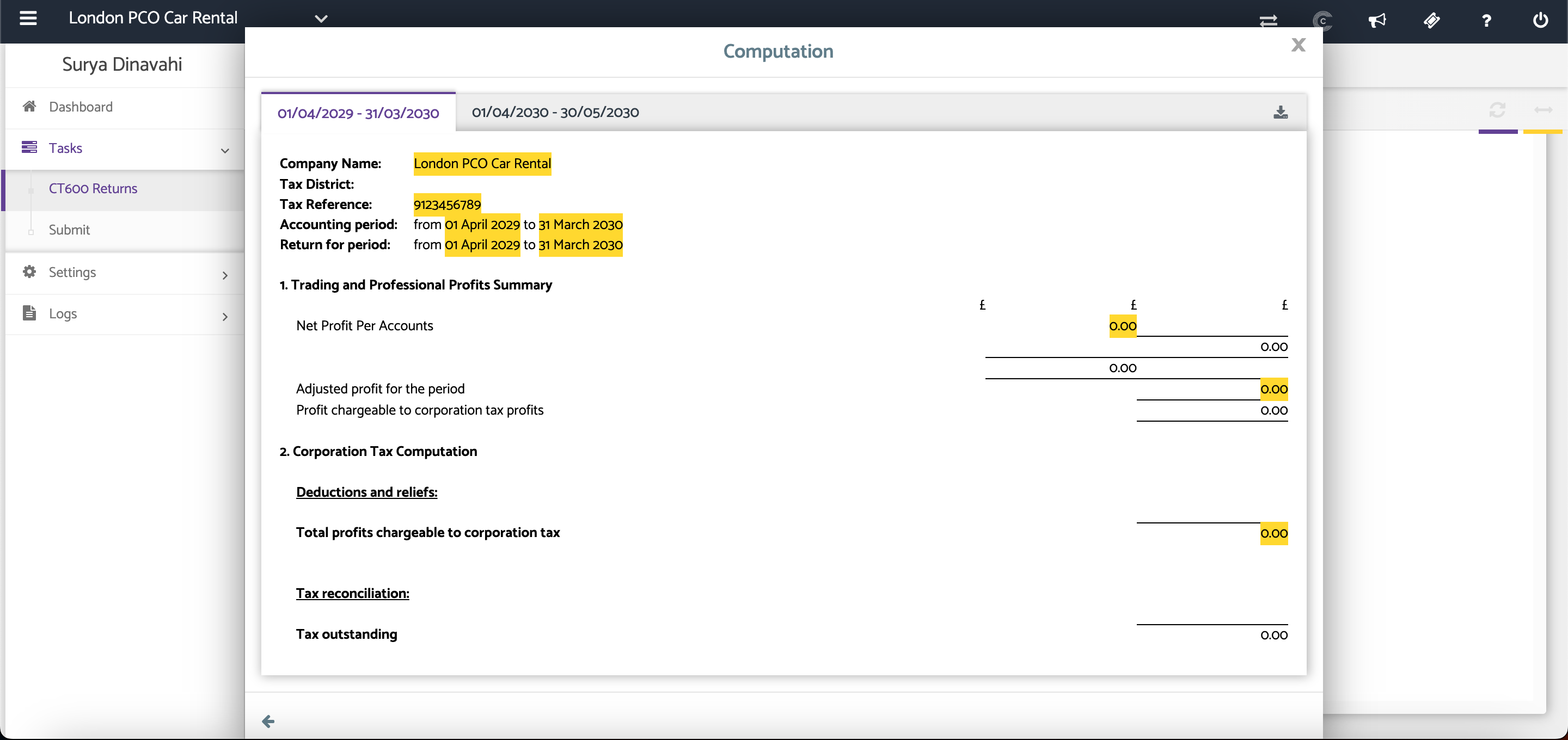
Download the Computation
Click the Download PDF option to generate a PDF copy of the CT600 Computation for review or record-keeping.
See screenshot above.
Additional Help
Need Help?
If you need assistance or guidance, please contact your onboarding manager or email Support@capium.com, or call us on 020 3322 5578.