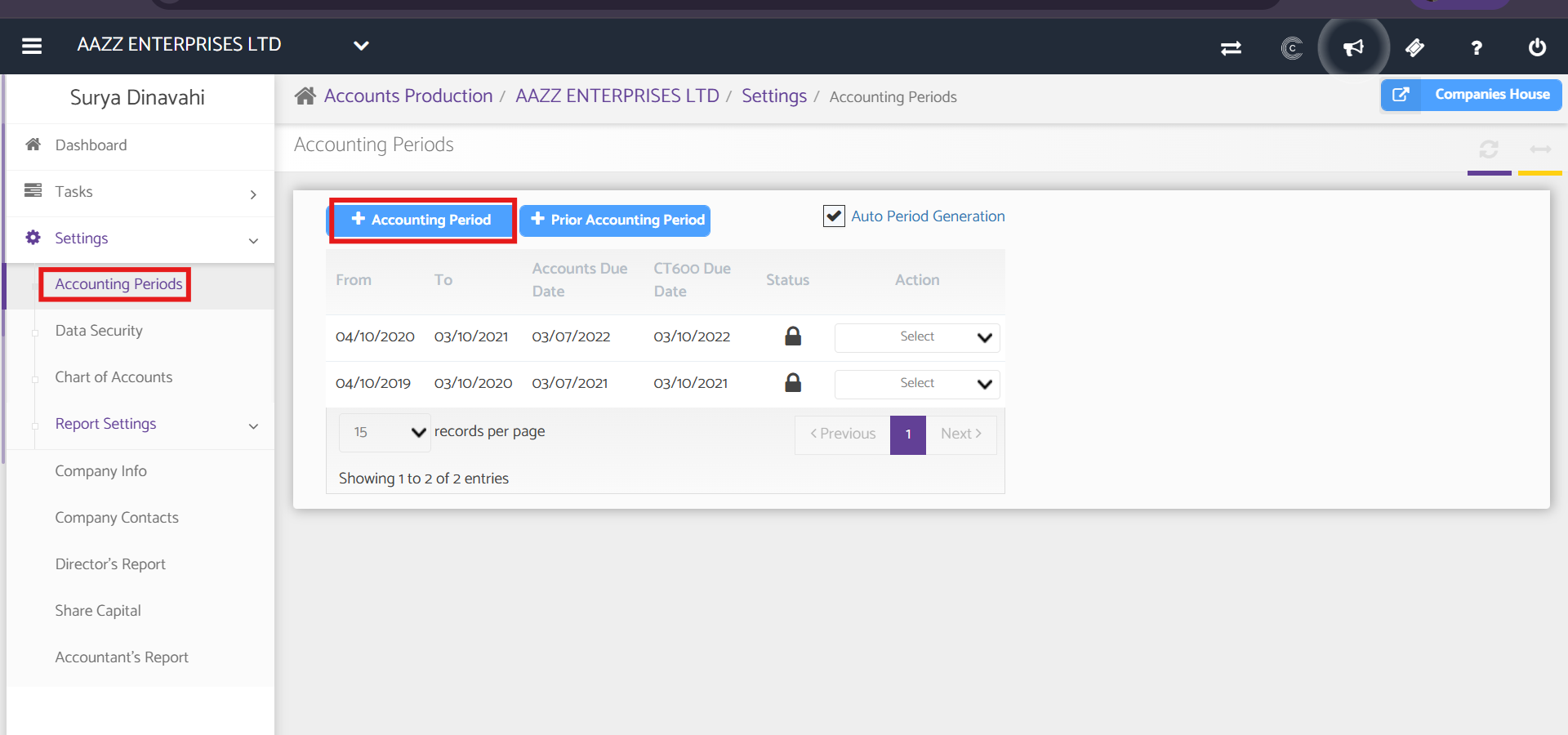
Navigation: Accounts Production Dashboard > Select Client > Settings > Accounting Periods
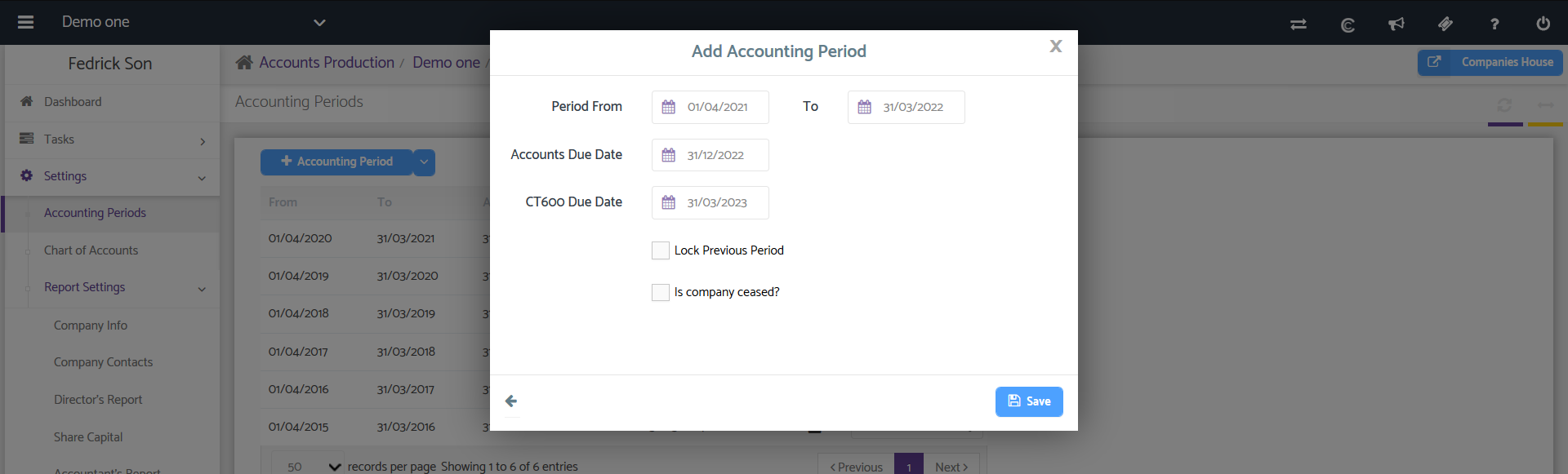
To add a new Accounting Period, click the + Accounting Period button.
The from and to periods show the starting and ending dates of the accounting period. The status shows whether the accounting periods are locked or unlocked. The Action drop-down allows you to delete an accounting period also you may cease a particular accounting period.